

From Constant App Crashes to Smooth Performance: My Experience

When I first noticed that my apps kept crashing on my phone, I was immediately frustrated and anxious. It started subtly: sometimes a social media app would close unexpectedly, or a messaging app would freeze just as I was about to send an important message. Initially, I thought it was a minor glitch that would resolve on its own, but the crashes became more frequent and disruptive. For someone who relies heavily on their phone for both work and personal communication, these interruptions were particularly stressful. I realized that I needed to take this issue seriously and investigate the root causes.

My first step was to look into common explanations for why apps crash. According to the articles and guides I read, there are several major factors: outdated apps or operating systems, low storage space, software bugs, too many background apps running simultaneously, corrupted app data, and poor internet connections. I quickly checked my phone and noticed that I had not updated some of my apps for several weeks, and my device storage was nearing full capacity. This confirmed that at least part of the problem might be due to outdated software and insufficient storage space.

After identifying these potential causes, I sought professional advice. I contacted multiple customer support centers and visited a local electronics service store. At each place, I explained my issue and asked for recommended solutions. Interestingly, the advice varied somewhat between sources. One support center suggested that I first try clearing the app cache and updating the phone’s operating system. Another recommended uninstalling and reinstalling the apps, while a third emphasized checking for proper app permissions and managing background applications. There was also a suggestion to reset the phone completely, which seemed more extreme and disruptive than the other options.

The differences in recommendations puzzled me initially. Why did each place suggest a different course of action for the same problem?

Through careful consideration, I realized that each advisor approached the problem based on their own assumptions about what was most likely causing the crashes.

For instance, tech support representatives often see customers with older devices or phones running low on storage, so their first step was to address those issues. Others focused on app-specific issues because corrupted app files are a common reason for crashes. This explained why the advice varied: each solution addressed a different possible underlying cause.

To ensure that I made an informed decision, I began to study the topic more thoroughly. I read several online guides and troubleshooting articles that outlined systematic steps to prevent app crashes. From these readings, I learned that restarting the phone is often the quickest fix, as it clears temporary glitches and refreshes system processes. I also learned that keeping apps and the operating system updated is crucial because developers frequently release patches that fix bugs. Clearing app caches can resolve corrupted temporary files, and maintaining adequate storage—ideally leaving 10–15% free—ensures smooth performance. Other important steps include force-stopping apps when they are unresponsive, checking internet connections for apps that require network access, reviewing app permissions, and managing background processes to prevent system overload.

I applied these lessons methodically.

I first restarted my phone and observed whether crashes persisted. Next, I updated all apps and the operating system, then cleared the cache for the apps that had been crashing frequently. I also freed up storage by deleting unused apps, clearing old downloads, and moving photos and videos to cloud storage. After performing these steps, I noticed a significant improvement: the apps were much more stable, and the crashes became infrequent. I further ensured that all app permissions were correctly enabled and limited the number of apps running simultaneously in the background.

Finally, I had to make a decision about which approach to adopt as my standard method for preventing app crashes in the future. Based on my study and testing, I decided to implement a regular maintenance routine. This includes keeping apps updated, monitoring storage levels, periodically clearing caches, and restarting my phone at least once every few days. I also chose to be selective about which apps I keep installed, avoiding unnecessary apps that could consume resources and potentially cause instability.

By combining these strategies, I can prevent most crashes before they occur, without having to resort to more drastic measures like reinstalling the operating system or performing a factory reset.

In conclusion, the process of diagnosing and resolving app crashes taught me several valuable lessons. First, the causes of app crashes are often simple, such as outdated software or low storage, but they can manifest in ways that seem unpredictable. Second, consulting multiple sources can provide a range of solutions, but differences in recommendations are often due to different diagnostic assumptions rather than mistakes. Third, studying the problem in detail allowed me to understand the underlying principles behind each solution, enabling me to make informed decisions. Ultimately, by applying a combination of updates, cache clearing, storage management, permission checking, and mindful app usage, I was able to stabilize my apps and regain confidence in my phone’s performance. The experience reinforced the importance of proactive maintenance and the value of a methodical, informed approach to troubleshooting technology problems.
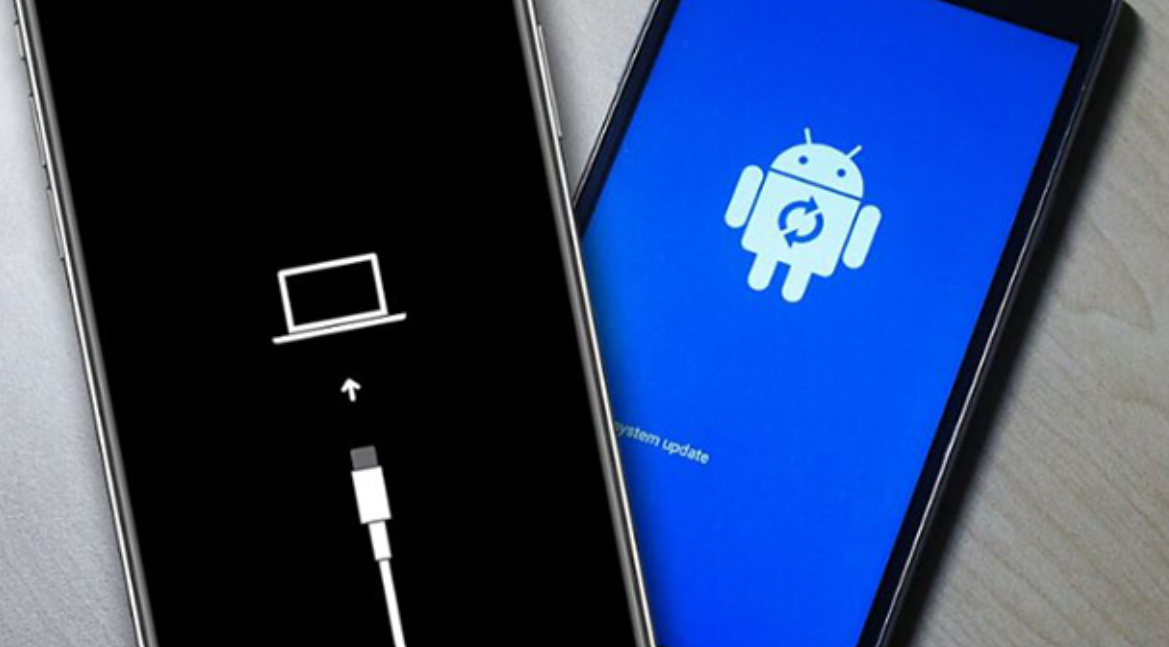
The App That Caused My Phone to Keep Restarting (And How I Found It)

Over the past few weeks, I experienced a problem with my phone that quickly became one of the most frustrating technical issues I have ever faced. My device began to restart randomly without warning, sometimes in the middle of calls, other times while I was in the middle of using an app. The first time it happened, I thought it was just a one-time glitch, but soon the restarts became frequent and unpredictable. Not only did it disrupt my daily routine, but it also made me anxious about losing unsaved work, photos, and messages. At first, I tried simple solutions, like turning the phone off and on again, but the problem persisted.

I decided to start investigating the problem systematically. I first observed the patterns surrounding the restarts. I noticed that the phone often restarted after updating certain apps or the system software. Sometimes it restarted when I was playing games or using resource-intensive apps, which made me think that overheating might be a factor. Other times, the restarts seemed entirely random, even when the phone was idle. These observations suggested that the issue could be caused by multiple factors, including software glitches, overheating, problematic apps, or even battery issues.

Because the problem seemed complex, I reached out to multiple sources for advice. I first contacted my phone’s official customer support. They suggested checking for system updates, clearing the cache, and uninstalling recently installed apps. While their guidance was helpful, it felt somewhat generic and didn’t address all the possibilities I observed in my daily use.

Next, I visited a local electronics repair shop. The technician performed diagnostics and suggested that the issue might be related to battery health or internal hardware damage. They even offered to replace the battery, which would have been costly.

I also looked at online forums and technology blogs, where many users reported similar symptoms. Advice ranged from software troubleshooting, like booting into Safe Mode and uninstalling problematic apps, to more extreme solutions, like performing a factory reset. Reading these discussions gave me insight into the variety of causes and solutions, but it also confused me because different sources emphasized different factors.

After comparing these consultations, I realized that the reason for the conflicting advice was the complex nature of the problem.

Some issues, such as software glitches after updates, can be resolved simply with system updates or cache clearing. Other problems, like hardware damage or battery degradation, require physical intervention. Additionally, symptoms like overheating or storage issues can mimic software-related problems, making it difficult for a single source to pinpoint the exact cause. Each consultant had their own diagnostic approach, which naturally led to slightly different recommendations. The phone’s environment—such as the apps I use, how I charge it, and its storage level—also influenced the potential cause, which further explains why advice was not consistent.

Through this process, I learned several important lessons about troubleshooting a phone that keeps restarting. First, software-related issues are often the simplest to fix, so updating the system, clearing caches, and uninstalling problematic apps should always be the first step. Second, overheating is a serious factor to consider; using a phone while charging or in direct sunlight can trigger automatic restarts. Third, battery health is crucial. An old or damaged battery can cause unstable power delivery, resulting in random restarts. Monitoring battery performance and replacing it if necessary can solve persistent issues. Finally, storage space matters. A nearly full storage can lead to system instability, frequent app crashes, and random reboots. Maintaining at least 10–15% free storage is essential for stable operation.

I also realized that while extreme solutions like factory resets can fix deep system issues, they come with significant downsides, such as the loss of data and settings. Therefore, they should only be considered as a last resort. Safe Mode is another useful tool I discovered; it allows the system to run without third-party apps, making it easier to identify whether a particular app is causing the problem.

After thoroughly researching, consulting multiple sources, and understanding the potential causes, I decided to take a step-by-step approach before considering any major interventions.

I first updated the system software and all apps, then cleared the cache and deleted unused apps. I also freed up storage space and monitored the device for signs of overheating. Finally, I booted the phone into Safe Mode to identify any problematic apps.

Through this process, I found that a recently installed app was conflicting with my system, causing the random restarts.

Once I uninstalled the app and rebooted the phone, the issue disappeared entirely. I did not need to perform a factory reset or replace the battery, which saved both time and money. This experience reinforced the importance of systematic troubleshooting: starting with simple fixes, monitoring symptoms carefully, and only escalating to extreme solutions if necessary.

In conclusion, while a phone that keeps restarting can be a stressful and disruptive problem, it is rarely permanent. Most cases are caused by software issues, overheating, storage constraints, or battery problems. By observing patterns, consulting multiple sources, and applying a methodical approach, I was able to resolve the issue without resorting to drastic measures. For anyone experiencing similar problems, I recommend starting with updates, app management, and careful monitoring, reserving more invasive actions like factory resets or hardware replacement for situations where simpler solutions fail. This approach not only ensures a higher chance of success but also minimizes the risk of data loss and unnecessary expenses.