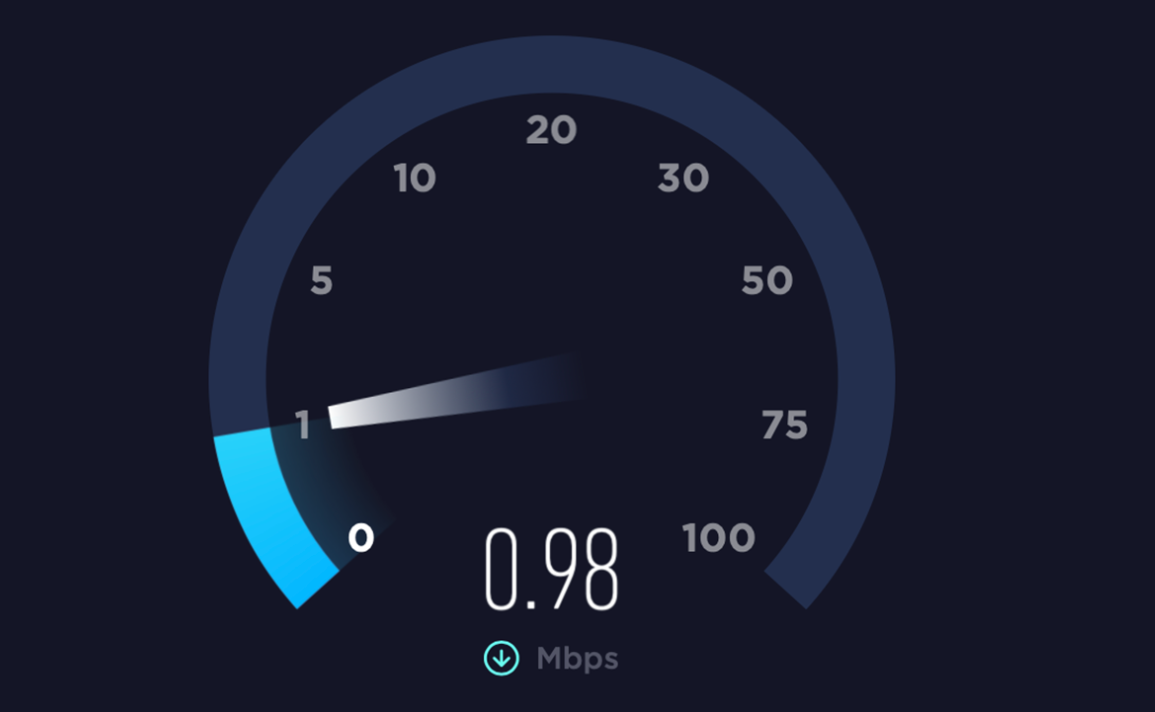
When I first started looking into why my phone internet had suddenly become so slow, it wasn’t just a minor inconvenience—it was seriously disrupting my daily routine. Simple tasks like watching videos, browsing social media, or even loading basic web pages were taking far longer than they should. At first, I assumed it was just a temporary issue, but as the problem persisted, I realized I needed to investigate it more thoroughly.
The situation became especially frustrating when I noticed that the slow speed wasn’t consistent. Sometimes the internet would work perfectly fine, and other times it would become almost unusable. This inconsistency made it difficult to pinpoint the exact cause. I began by observing when and where the issue occurred most frequently. For example, I noticed that my connection was significantly worse indoors compared to when I stepped outside. I also experienced slower speeds during the evening, which made me suspect network congestion.
To better understand the issue, I decided to compare advice from multiple sources. I looked through online guides, forums, and even contacted customer support from my mobile carrier. Interestingly, the recommendations varied quite a bit depending on the source. Some emphasized simple fixes like restarting the phone or toggling Airplane Mode, while others suggested more technical solutions such as resetting network settings or checking for data throttling.
Customer support, on the other hand, focused more on factors related to my data plan and network coverage. They suggested that I might have exceeded my high-speed data limit, which could result in reduced speeds. Meanwhile, online communities often pointed out practical, real-world issues such as background apps consuming data or weak signal strength in certain locations.
At first, I found these differing opinions confusing. Why were the suggested solutions so inconsistent? However, as I continued researching, I realized that the reason behind this variation was quite logical.
Mobile internet speed is influenced by multiple factors, and each situation can have a different root cause.
For instance, someone experiencing slow speeds due to poor signal strength will require a completely different solution compared to someone affected by software issues or data throttling.
This realization led me to study the topic more deeply. I began learning about how mobile networks function, including the role of signal strength, network congestion, and data prioritization. I discovered that having only one or two signal bars can significantly impact internet speed, regardless of the data plan. I also learned that during peak hours, such as evenings, network towers can become overloaded with users, resulting in slower speeds for everyone in the area.
Another important factor I came across was background data usage.
Many apps continue to run and consume data even when they are not actively being used. This can silently slow down internet performance without the user realizing it. Additionally, outdated software can sometimes cause connectivity issues, which reinforced the importance of keeping the device updated.
After gathering all this information, I decided to systematically test the various solutions. I started with the simplest fixes, such as turning Airplane Mode on and off and restarting my phone. These steps provided temporary improvements but did not fully resolve the issue. Next, I checked my signal strength more carefully and made a habit of moving to areas with better reception when possible.
One of the most effective changes I made was managing background apps. By closing unused applications and restricting background data usage for heavy apps, I noticed a significant improvement in speed. I also experimented with switching between 4G and 5G networks. Surprisingly, in my area, 4G often provided a more stable connection than 5G due to inconsistent coverage.
I also reviewed my data plan and confirmed that I had not exceeded my high-speed data limit. This ruled out throttling as the main cause. As a final step, I reset my network settings, which helped eliminate any potential configuration issues that might have been affecting connectivity.
Ultimately, my final decision was not to rely on a single solution but to combine several practical fixes based on my specific situation.
I realized that there is no universal answer to slow mobile internet. Instead, the key is to identify the most likely causes and apply targeted solutions accordingly.
Through this process, I gained a much clearer understanding of how mobile internet works and why performance issues occur. More importantly, I learned that many of these problems can be resolved quickly with the right approach. By taking the time to analyze the situation, compare different perspectives, and apply what I learned, I was able to significantly improve my phone’s internet speed.
In conclusion, dealing with slow mobile internet can be frustrating, but it is often manageable with a bit of patience and investigation. Rather than immediately assuming the worst, it is helpful to start with simple troubleshooting steps and gradually explore more advanced solutions if needed. This experience not only solved my immediate problem but also gave me the confidence to handle similar issues more effectively in the future.