From Frustration to Fast Internet: My Journey Fixing Mobile Speeds

When I first started looking into why my phone internet had suddenly become so slow, it wasn’t just a minor inconvenience—it was seriously disrupting my daily routine. Simple tasks like watching videos, browsing social media, or even loading basic web pages were taking far longer than they should. At first, I assumed it was just a temporary issue, but as the problem persisted, I realized I needed to investigate it more thoroughly.

The situation became especially frustrating when I noticed that the slow speed wasn’t consistent. Sometimes the internet would work perfectly fine, and other times it would become almost unusable. This inconsistency made it difficult to pinpoint the exact cause. I began by observing when and where the issue occurred most frequently. For example, I noticed that my connection was significantly worse indoors compared to when I stepped outside. I also experienced slower speeds during the evening, which made me suspect network congestion.

To better understand the issue, I decided to compare advice from multiple sources. I looked through online guides, forums, and even contacted customer support from my mobile carrier. Interestingly, the recommendations varied quite a bit depending on the source. Some emphasized simple fixes like restarting the phone or toggling Airplane Mode, while others suggested more technical solutions such as resetting network settings or checking for data throttling.

Customer support, on the other hand, focused more on factors related to my data plan and network coverage. They suggested that I might have exceeded my high-speed data limit, which could result in reduced speeds. Meanwhile, online communities often pointed out practical, real-world issues such as background apps consuming data or weak signal strength in certain locations.

At first, I found these differing opinions confusing. Why were the suggested solutions so inconsistent? However, as I continued researching, I realized that the reason behind this variation was quite logical.

Mobile internet speed is influenced by multiple factors, and each situation can have a different root cause.

For instance, someone experiencing slow speeds due to poor signal strength will require a completely different solution compared to someone affected by software issues or data throttling.

This realization led me to study the topic more deeply. I began learning about how mobile networks function, including the role of signal strength, network congestion, and data prioritization. I discovered that having only one or two signal bars can significantly impact internet speed, regardless of the data plan. I also learned that during peak hours, such as evenings, network towers can become overloaded with users, resulting in slower speeds for everyone in the area.

Another important factor I came across was background data usage.

Many apps continue to run and consume data even when they are not actively being used. This can silently slow down internet performance without the user realizing it. Additionally, outdated software can sometimes cause connectivity issues, which reinforced the importance of keeping the device updated.

After gathering all this information, I decided to systematically test the various solutions. I started with the simplest fixes, such as turning Airplane Mode on and off and restarting my phone. These steps provided temporary improvements but did not fully resolve the issue. Next, I checked my signal strength more carefully and made a habit of moving to areas with better reception when possible.

One of the most effective changes I made was managing background apps. By closing unused applications and restricting background data usage for heavy apps, I noticed a significant improvement in speed. I also experimented with switching between 4G and 5G networks. Surprisingly, in my area, 4G often provided a more stable connection than 5G due to inconsistent coverage.

I also reviewed my data plan and confirmed that I had not exceeded my high-speed data limit. This ruled out throttling as the main cause. As a final step, I reset my network settings, which helped eliminate any potential configuration issues that might have been affecting connectivity.

Ultimately, my final decision was not to rely on a single solution but to combine several practical fixes based on my specific situation.

I realized that there is no universal answer to slow mobile internet. Instead, the key is to identify the most likely causes and apply targeted solutions accordingly.

Through this process, I gained a much clearer understanding of how mobile internet works and why performance issues occur. More importantly, I learned that many of these problems can be resolved quickly with the right approach. By taking the time to analyze the situation, compare different perspectives, and apply what I learned, I was able to significantly improve my phone’s internet speed.

In conclusion, dealing with slow mobile internet can be frustrating, but it is often manageable with a bit of patience and investigation. Rather than immediately assuming the worst, it is helpful to start with simple troubleshooting steps and gradually explore more advanced solutions if needed. This experience not only solved my immediate problem but also gave me the confidence to handle similar issues more effectively in the future.
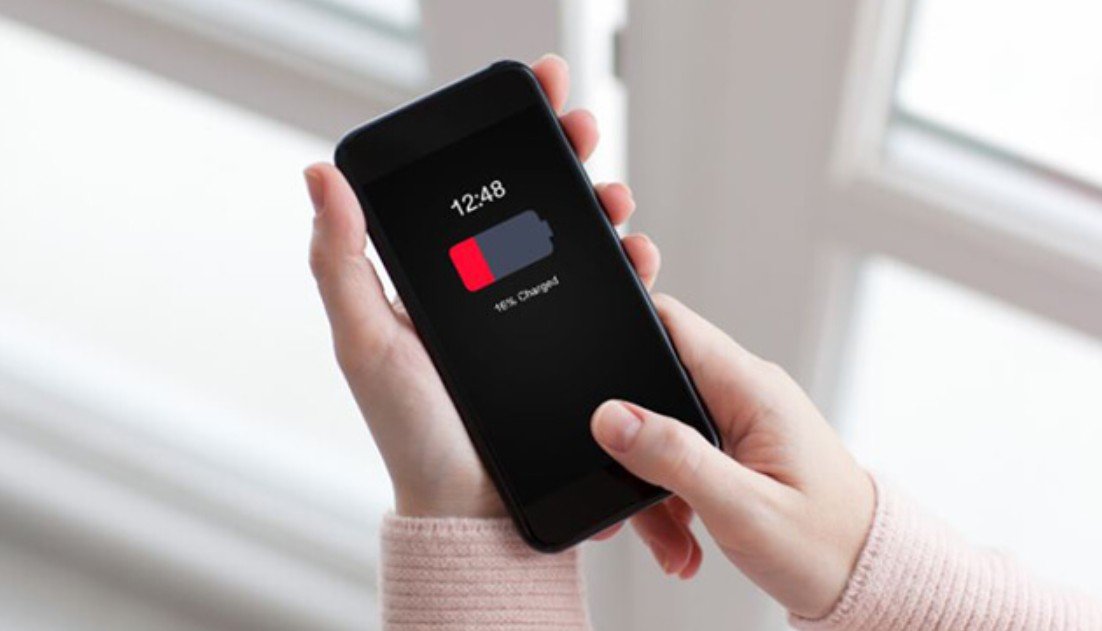

I Went to Sleep at 80%… Woke Up to 40% — Here’s Why

Recently, I began experiencing a frustrating issue with my smartphone battery. Before going to sleep, my phone would often have around 70–80% battery remaining. However, when I woke up in the morning, I noticed that the battery level had dropped significantly, sometimes reaching as low as 40% or even lower.

At first, I thought this might be a one-time occurrence, but the problem continued to happen regularly. What made it more confusing was that I was not actively using my phone during the night. This raised concerns about what could be causing such a large amount of battery drain while the device was supposed to be idle.

Since I rely heavily on my phone throughout the day, waking up to a low battery was not only inconvenient but also disruptive to my daily routine. As a result, I decided to investigate the issue more thoroughly and look for reliable solutions.


While researching, I explored various sources including technology blogs, user forums, and official Android support pages. I found that many users were experiencing similar issues, but the suggested solutions varied depending on the source.

Some sources emphasized background apps as the primary cause, recommending that users close apps before going to sleep or restrict background activity. Others highlighted network-related issues, such as poor signal strength, which can cause the phone to continuously search for a connection and consume more power.

There were also suggestions to turn off wireless features like Wi-Fi, Bluetooth, and GPS overnight. Additionally, some guides focused on system-related factors, such as automatic app updates, background synchronization, and outdated software.

A few sources even pointed out that battery health could be the root cause, especially for older devices. Because the advice differed across sources, it was initially difficult to determine which solution would be the most effective.


After comparing multiple sources, I realized that the differences in advice were due to the variety of factors that can contribute to overnight battery drain.

First, battery drain is not caused by a single issue. It can result from a combination of background activity, network conditions, system settings, and hardware limitations. Therefore, each source may focus on a different primary cause.

Second, user behavior plays a significant role. For example, someone who uses many social media or messaging apps may experience more background activity than someone who uses fewer apps.

Third, environmental factors such as network signal strength can vary depending on location. Users in areas with poor reception are more likely to experience battery drain due to constant signal searching.

Finally, device age and battery condition also affect performance. Older batteries naturally lose efficiency over time, which can lead to faster power loss.

Understanding these factors helped me realize that there is no single universal solution for this problem.


Through my own research and testing,

I learned that managing overnight battery drain requires a combination of practical steps.

First, I found that background apps play a major role in battery consumption.

By restricting background activity and closing unnecessary apps before sleep, I was able to reduce power usage.

Second, I discovered that network conditions significantly impact battery life.

Turning on Airplane Mode at night proved to be one of the most effective solutions, especially in areas with weak signal.

Third, managing wireless features such as Wi-Fi, Bluetooth, and GPS helped minimize unnecessary battery usage. Disabling features that were not needed overnight made a noticeable difference.

I also learned that automatic updates and background synchronization can consume power without the user realizing it. Adjusting these settings to run only when necessary helped improve battery performance.

Finally, I became more aware of battery health. Checking battery usage statistics allowed me to identify apps that were consuming excessive power and take appropriate action.


After trying different methods, I decided to adopt a balanced and consistent approach rather than relying on a single solution.

I now make it a habit to restrict background apps and close unnecessary ones before going to sleep. I also enable Airplane Mode at night, especially when I am in an area with weak signal.

In addition, I turn off wireless features that I do not need overnight and adjust synchronization settings to prevent unnecessary activity. I also regularly monitor battery usage to identify any unusual behavior.

I chose this approach because it addresses multiple potential causes of battery drain at once. Instead of focusing on just one factor, I aimed to create a routine that minimizes overall power consumption.

As a result, my phone now loses significantly less battery overnight, and I can start my day without worrying about low battery levels.


Experiencing battery drain overnight can be frustrating, but it is usually caused by identifiable factors such as background apps, network issues, and system settings.

By understanding these causes and applying simple adjustments, it is possible to significantly improve battery performance. Small changes in daily habits can make a noticeable difference over time.

Taking a proactive approach to managing your phone’s battery will help ensure a more reliable and convenient smartphone experience.

I Thought My Phone Was Safe… I Was Wrong

Recently, I began to think more seriously about the security of my smartphone. Like many people, I store a significant amount of personal information on my device, including photos, messages, financial apps, and saved passwords. At first, I did not pay much attention to security settings because everything seemed to be working normally.

However, I started to feel concerned after noticing how often smartphones are targeted by malware, hacking attempts, and data leaks. I also realized that I had installed several apps over time without carefully checking their sources or permissions. This made me question whether my personal data was truly safe.

As someone who relies heavily on a smartphone for daily life, I felt it was important to understand the potential risks and take proper measures to protect my information. This led me to research Android security practices in more detail.


While researching, I explored various sources such as technology blogs, security-focused websites, and user discussions. I noticed that although most sources agreed on the importance of smartphone security, the specific recommendations varied.

Some sources emphasized keeping the Android system updated as the most critical step, highlighting the importance of security patches. Others focused more on app-related risks, advising users to install apps only from trusted sources and avoid downloading APK files.

There were also recommendations about using strong screen locks, such as biometric authentication or complex passwords, while some guides prioritized privacy settings, including reviewing app permissions regularly.

Additionally, several sources strongly recommended enabling tracking features like Find My Device, especially in case of loss or theft.

Because each source highlighted different aspects of security, it was initially difficult to determine which measures were the most essential.


After comparing multiple sources, I realized that the differences in advice were due to the various types of security risks associated with smartphones.

First, security threats come in many forms, including malware, unauthorized access, data theft, and physical loss of the device. Each type of threat requires a different preventive measure.

Second, user behavior plays a significant role in security. For example, users who frequently download apps from unknown sources face higher risks compared to those who only use official app stores.

Third, different devices and Android versions may have varying security features, which can influence the recommended solutions.

Understanding these factors helped me realize that smartphone security is not about applying a single solution, but rather about combining multiple protective measures.


Through my research, I learned that maintaining smartphone security involves several simple but important habits.

First, keeping the Android system updated is essential.

Updates often include security patches that protect against newly discovered vulnerabilities. This is one of the easiest yet most effective ways to improve security.

Second, installing apps only from trusted sources significantly reduces the risk of malware.

I became more cautious about checking app reviews, ratings, and developer information before installing anything.

Third, using a strong screen lock is a basic but critical step. Switching from a simple unlock method to a more secure option such as a PIN or biometric authentication adds an extra layer of protection.

I also learned the importance of reviewing app permissions. Many apps request access to sensitive data that may not be necessary for their functionality. By managing these permissions, I could better protect my privacy.

Finally, enabling Find My Device provided a sense of security in case my phone is lost or stolen. Knowing that I can locate, lock, or erase my device remotely is very reassuring.


After considering different approaches, I decided to implement a combination of security measures rather than relying on just one method.

I now make it a habit to keep my system updated and install apps only from trusted sources. I also regularly review app permissions to ensure that no app has unnecessary access to sensitive data.

In addition, I use a strong screen lock method and have enabled Find My Device for added protection. These steps do not require advanced technical knowledge, but they significantly improve overall security.

I chose this approach because it addresses multiple types of risks at once. Instead of focusing on a single aspect, I wanted a balanced and practical solution that fits into my daily routine.

As a result, I feel more confident that my personal information is protected, and I can use my smartphone with greater peace of mind.


Smartphone security is often overlooked, but it is an essential part of modern digital life. While threats such as hacking and data theft can seem intimidating, many risks can be minimized through simple and consistent habits.

By keeping your device updated, being cautious when installing apps, and managing your security settings carefully, you can significantly reduce the chances of security issues.

Taking a proactive approach to smartphone security can make a meaningful difference in protecting your personal information and ensuring safe and reliable device usage over time.

I Couldn’t Even Take Photos… My Storage Was Full

Recently, I started encountering a very common but frustrating problem with my smartphone: running out of storage space. At first, I ignored the occasional “Storage Almost Full” notification, thinking it was not urgent. However, over time, the situation became more serious.

My phone began to slow down noticeably. Apps took longer to open, and some apps even stopped working properly. I was also unable to download new apps or update existing ones. The most inconvenient moment was when I tried to take photos, but the device showed an error because there was no available storage.

Since I rely heavily on my phone for daily tasks, including communication, media consumption, and storing important files, this issue quickly became a major inconvenience. As someone living alone, I depend on my phone even more, so I felt the need to solve this problem efficiently.

This led me to start researching practical ways to free up storage space and improve my phone’s performance.


While researching, I explored multiple sources such as tech blogs, online communities, and user guides. I noticed that although most sources discussed similar methods, their priorities were slightly different.

Some sources strongly recommended deleting unused apps as the fastest solution. Others focused more on clearing cache data, emphasizing that temporary files can accumulate over time and consume a large amount of storage.

There were also recommendations about managing photos and videos, with many sources highlighting that media files are usually the biggest contributors to storage usage. In addition, some guides suggested using cloud storage services, while others recommended transferring files to a computer.

Because each source emphasized different approaches, it was initially difficult to decide which method would be the most effective for my situation.


After comparing various sources, I realized that the differences in advice were due to the diverse causes of storage issues.

First, storage consumption varies depending on user behavior. Some users install many apps, while others store large amounts of photos and videos. Therefore, the most effective solution depends on what is occupying the most space on the device.

Second, different smartphones offer different storage management features. Some devices have built-in tools that make it easier to identify large files, while others require more manual management.

Third, personal preferences also play a role. For example, some users prefer to store files locally, while others are comfortable using cloud services. This leads to variations in recommended solutions.

Understanding these differences helped me realize that there is no single universal solution for freeing up storage.


Through my own research and practical experience,

I learned that freeing up storage requires a combination of simple and consistent actions.

First, deleting unused apps proved to be one of the quickest and most effective methods.

I found several apps that I had not used in months, and removing them immediately freed up a noticeable amount of space.

Second, clearing app cache helped recover additional storage without affecting my personal data. This was especially useful for apps that store large amounts of temporary files.

Third, I realized that photos and videos were taking up a significant portion of my storage.

By deleting unnecessary screenshots, duplicate images, and large video files, I was able to free up even more space.

I also explored cloud storage options, which allowed me to store important files without using my phone’s internal storage. Additionally, transferring files to a computer provided a reliable backup while freeing up space on my device.

Finally, I found that using built-in storage management tools made the process much easier by identifying large files and suggesting what to delete.


After trying different methods, I decided to adopt a balanced approach rather than relying on a single solution.

I now regularly review and delete unused apps to prevent unnecessary storage consumption. I also make it a habit to clear cache periodically and manage my photo gallery more carefully.

In addition, I use cloud storage for important files and transfer large media files to my computer when needed. This allows me to keep my phone storage organized without losing important data.

I chose this approach because it addresses multiple causes of storage issues at the same time. Instead of reacting only when storage becomes full, I focus on maintaining it regularly.

As a result, my phone now runs much more smoothly, and I no longer experience sudden storage shortages. This has made my daily smartphone usage much more convenient and stress-free.


Running out of storage space can cause various problems, including slow performance and limited functionality. However, with proper management and simple habits, it is a problem that can be easily controlled.

By combining methods such as deleting unused apps, clearing cache, managing media files, and using external storage options, it is possible to maintain sufficient storage and ensure smooth device performance.

Regular attention to storage management can make a significant difference in keeping your smartphone efficient and reliable over time.

My Phone Got Hot Even with Light Use — I Found the Reason

Recently, I began to notice that my smartphone was getting unusually hot during daily use. At first, I did not think much of it because slight warmth is common when using a phone for extended periods. However, the heat gradually became more noticeable and uncomfortable. Even during simple activities like browsing the internet or watching short videos, the device would sometimes feel hot to the touch.

The situation became more concerning when the phone heated up significantly while charging, especially if I used it at the same time. There were also moments when the performance seemed to drop slightly, such as slower response times or occasional lag. This made me wonder whether the overheating was affecting the overall health of my device.

Since I depend on my phone for communication, entertainment, and everyday tasks, I felt the need to understand the cause of this issue and find practical ways to manage it. This led me to research the reasons behind smartphone overheating and how to prevent it.


While researching, I explored various online resources, including technical articles, user forums, and general tech blogs. I noticed that while many sources discussed similar causes of overheating, their suggested solutions sometimes differed.

Some sources strongly emphasized reducing heavy app usage, especially gaming and video streaming, as the main solution. Others focused more on hardware-related factors, such as battery condition and charging habits.

There were also recommendations about closing background apps regularly, while some experts argued that modern smartphones already manage background processes efficiently, making manual closing less critical.

In addition, several sources highlighted environmental factors, such as avoiding direct sunlight or hot surroundings, while others emphasized software-related solutions like updating the operating system and apps.

Because of these differences, I initially found it difficult to determine which advice was the most reliable and effective.


After carefully comparing the information, I realized that the differences in advice were mainly due to the variety of factors that can cause overheating.

First, smartphone overheating does not have a single cause. It can result from heavy app usage, charging habits, environmental conditions, software issues, or battery health. Depending on which factor is most relevant, the recommended solution can vary.

Second, different users have different usage patterns. For example, someone who plays high-performance games frequently will experience overheating differently from someone who mainly uses basic apps. Therefore, the advice may be tailored to different types of users.

Third, device differences also play a role. Smartphones from different manufacturers may handle heat management differently, and newer devices may be more efficient than older ones.

Understanding these factors helped me realize that no single solution would completely solve the problem in all situations.


Through my own research and practical testing,

I learned that managing smartphone temperature requires a combination of simple habits and adjustments.

First, I realized that heavy app usage is one of the biggest contributors to heat.

Activities such as gaming or streaming videos for long periods place significant stress on the CPU and GPU. Taking breaks and avoiding prolonged heavy usage made a noticeable difference.

Second, I learned that using the phone while charging significantly increases heat.

By avoiding intensive activities during charging, I was able to reduce temperature spikes.

Third, managing background apps helped to some extent. While not all apps need to be manually closed, removing unnecessary apps and monitoring battery usage reduced overall system load.

I also found that environmental factors are very important. Keeping the phone in a cool place and avoiding direct sunlight prevented sudden temperature increases.

Finally, keeping the system and apps updated ensured that the device operated efficiently. I also became more aware of battery health, especially since older batteries tend to generate more heat.


After testing different methods, I decided to adopt a balanced and practical approach rather than focusing on just one solution.

I now avoid using heavy applications for long periods without breaks, especially games and streaming services. I also make it a rule not to use my phone intensively while it is charging.

Additionally, I regularly check for software updates and remove apps that I no longer need. I also pay attention to where I place my phone, ensuring it stays in a cool and well-ventilated environment.

I chose this approach because it addresses multiple causes of overheating rather than just one. Instead of reacting only when the phone becomes hot, I focus on preventing the issue in advance.

As a result, my phone now stays at a much more stable temperature, and I feel more confident about maintaining its performance and battery health over time.


A certain level of heat is normal when using a smartphone, especially during demanding tasks. However, frequent or excessive overheating should not be ignored.

By understanding the causes and applying simple preventive measures, it is possible to maintain a comfortable device temperature and extend the lifespan of your phone.

Taking consistent care of your device through small daily habits can make a significant difference in overall performance and reliability.