How I Fixed My Mobile Data When It Suddenly Stopped Working

I encountered a frustrating situation where my mobile data suddenly stopped working. I rely heavily on my smartphone for both work and personal tasks, and losing internet access created a significant disruption in my daily routine.

At first, I noticed that even though the signal bars appeared full, no apps would load, and web pages failed to display.

Occasionally, the phone displayed “No Service” or “Emergency Calls Only,” which added to my anxiety because it made me question whether the issue was related to my device, the SIM card, or the carrier network itself. The LTE and 5G icons that usually indicate active mobile data were sometimes missing, further confirming that the problem was not a minor glitch.

To resolve the issue, I began by exploring the simplest solutions first. I started with the basic approach of toggling mobile data off and on, as many guides recommend. I accessed the settings on my phone, turned mobile data off, waited for about ten seconds, and then turned it back on. While this initially seemed promising, the problem persisted, indicating that the issue was deeper than a temporary software glitch. Next, I checked the signal strength by moving to various locations around my home, including near windows and open areas. Although the signal improved slightly in certain spots, the internet still did not load properly, which suggested that the problem might not be purely due to weak signal reception.

Following this, I attempted to reset all wireless connections by using the airplane mode toggle. I enabled airplane mode for approximately thirty seconds and then disabled it, hoping that forcing the device to reconnect to the network would resolve the issue. Unfortunately, this step also failed to restore mobile data. At this point, I realized that a simple software refresh was unlikely to solve the problem, so I restarted my phone completely. Restarting my device cleared some minor bugs, but the mobile data issue persisted, reinforcing the possibility that either the network settings or the SIM card itself might be at fault.

Given that simple troubleshooting had not resolved the issue, I decided to investigate whether data limits or restrictions were causing the problem. I navigated to the data usage settings and found that no limits had been reached, and background data restrictions were not active. This step confirmed that the issue was not related to exceeding my monthly data allowance or restrictions imposed by the operating system. I then explored resetting the network settings, which many sources described as a more powerful solution. Performing a network reset erased saved Wi-Fi passwords and Bluetooth pairings, but often solves stubborn connectivity issues. After the reset, I carefully re-entered Wi-Fi credentials and reconnected Bluetooth devices. Despite these efforts, mobile data still did not function properly, leading me to consider the possibility that the APN (Access Point Name) settings might be incorrect.

I researched the official APN settings provided by my carrier and compared them with the configuration on my phone. At that moment, I realized that some of the values were outdated, likely due to previous SIM card changes or software updates. I manually entered the correct APN values, ensuring they matched the carrier’s specifications exactly. After saving the changes and restarting the phone, I experienced a temporary improvement in connectivity, but the issue returned intermittently. This indicated that while APN misconfigurations could be part of the problem, other factors might still be affecting the connection.

At this stage, I considered the possibility that the SIM card itself was causing the problem. I powered off the phone, removed the SIM card, gently cleaned it, and reinserted it into the device. This step is often overlooked, but it ensures a proper physical connection between the SIM and the phone’s hardware. After turning the phone back on, the mobile data began functioning more consistently. However, I noticed that certain areas had unstable 5G coverage. To address this, I switched the network mode from 5G to LTE in the mobile network settings, which provided a more reliable connection in areas with weaker 5G signals.

After performing all these steps, I decided to compare my findings and approach with professional advice from various sources.

I contacted my mobile carrier and spoke to two different representatives. The first agent suggested that the problem was likely due to a network outage or temporary maintenance, recommending that I wait several hours before taking further action. The second representative insisted that the issue could be related to the SIM card itself and offered a replacement. Both solutions were plausible, but they differed significantly in approach and implied costs. The variance in advice made it clear that even professionals can interpret mobile data issues differently depending on their experience, knowledge of network operations, and the information available from the customer’s device.

To better understand these discrepancies, I studied online resources and guides, including carrier support pages and technology blogs. I learned that mobile data problems are usually caused by a combination of software glitches, misconfigured settings, weak signal reception, or hardware-related issues such as SIM card placement. This research helped me critically evaluate the advice I received from customer service. By cross-referencing information, I concluded that a multi-step approach—addressing both software and hardware factors—was generally more effective than relying on a single fix.

Finally, after careful consideration, I chose a comprehensive solution that incorporated my research findings.

I ensured that the APN settings were correct, reset the network settings, cleaned and reinserted the SIM card, and adjusted the network mode from 5G to LTE when necessary. This combination restored stable mobile data connectivity, allowing me to resume my daily activities without interruption. I selected this approach because it addressed all potential causes, from software misconfigurations to hardware connection issues, while avoiding unnecessary costs such as replacing the SIM card without justification.

In conclusion, my experience taught me that resolving mobile data issues requires patience, systematic troubleshooting, and a willingness to cross-check information from multiple sources. By understanding the underlying causes and carefully applying step-by-step solutions, it is possible to restore mobile data without relying solely on professional intervention. The process also highlighted the importance of critical thinking when evaluating different recommendations, as similar problems can be interpreted in varied ways depending on the perspective and experience of the advisor. Following this structured approach not only resolved my immediate connectivity problem but also provided me with the knowledge to prevent and address similar issues in the future.
How I Secured My Phone Against Hackers and Malware

Recently, I began exploring ways to better protect my smartphone from hackers and malware. My experience started when I noticed unusual activity on my device—apps behaving strangely, unexpected pop-ups, and occasional slowdowns that seemed suspicious. As someone who stores almost all personal and professional information on my phone, including banking apps, messages, and sensitive photos, I became concerned that my device could be at risk. At first, I assumed it was just a minor glitch, but as I observed the behavior over several days, it became clear that I needed to take proactive steps to improve security.

The first thing I did was seek advice from multiple sources. I consulted online articles, technology forums, and official guides from reputable security companies. I also reached out to customer support from my phone manufacturer and asked them directly about best practices for keeping my device safe. Interestingly, I noticed that the advice varied slightly depending on the source. While most recommendations emphasized updating software and using strong passwords, some sources focused more on app permissions or the importance of security apps, whereas others highlighted cautious use of public Wi-Fi. This variety initially caused some confusion because each source seemed to prioritize different strategies.

Upon reflecting on these differences, I realized that the variation arose mainly from the perspective and expertise of each source. Official manufacturer guidance emphasized system updates and built-in security features because these are universally applicable and technically controlled by the company. Security blogs and forums often stressed vigilance against phishing and careful management of app permissions because they aim to cover the broad range of threats that users might encounter. Meanwhile, customer support advice leaned towards practical, easy-to-implement actions, such as enabling biometrics and avoiding untrusted downloads, as they know users may not follow complicated instructions consistently. Understanding this helped me see that no single source provides a complete solution, and the best approach is to combine multiple strategies.

After reviewing and comparing these recommendations, I studied each step carefully. I learned that keeping the phone updated is one of the most crucial defenses because software patches frequently fix vulnerabilities exploited by hackers. Strong passwords and biometric authentication provide a second layer of protection, making it more difficult for unauthorized users to access my device. I also examined the risks associated with downloading apps from unofficial sources and understood why malware often infiltrates phones through unverified apps. Public Wi-Fi was another area where I had to adjust my habits; I discovered that using a VPN significantly reduces the risk of data interception. Additionally, I devoted time to learning about phishing attacks and identifying suspicious links or messages, as these are common vectors for personal information theft. Installing a reliable security app and carefully managing app permissions were the final pieces of my security plan, ensuring real-time protection and limiting unnecessary access to my data.

Ultimately, my decision-making process was guided by the combination of practicality and effectiveness.

I chose to enable automatic software updates so that critical security patches are applied without delay. I adopted a password manager to maintain strong, unique passwords for every account, and I activated fingerprint recognition on my device for convenience and security. I restricted app downloads exclusively to official app stores and reviewed permissions for every installed app, revoking any access that seemed unnecessary. Additionally, I started using a reputable security app that provides malware scanning and anti-theft tools, and I became more cautious about logging into sensitive accounts on public Wi-Fi, opting to use a VPN whenever necessary.

In conclusion, protecting my smartphone from hackers and malware required a deliberate and informed approach.

By carefully examining my situation, consulting multiple sources, analyzing why advice differed, studying the mechanics of various security measures, and implementing practical steps, I established a comprehensive strategy that significantly reduces my risk. This experience taught me that effective cybersecurity is not about installing a single app or memorizing one tip—it is about cultivating habits, staying informed, and actively managing both software and personal behavior.

Following these seven steps has provided me with peace of mind and a greater sense of control over my digital life, ensuring that my personal information and daily routines remain safe from cyber threats.

How I Fixed My Phone’s Charging Nightmare

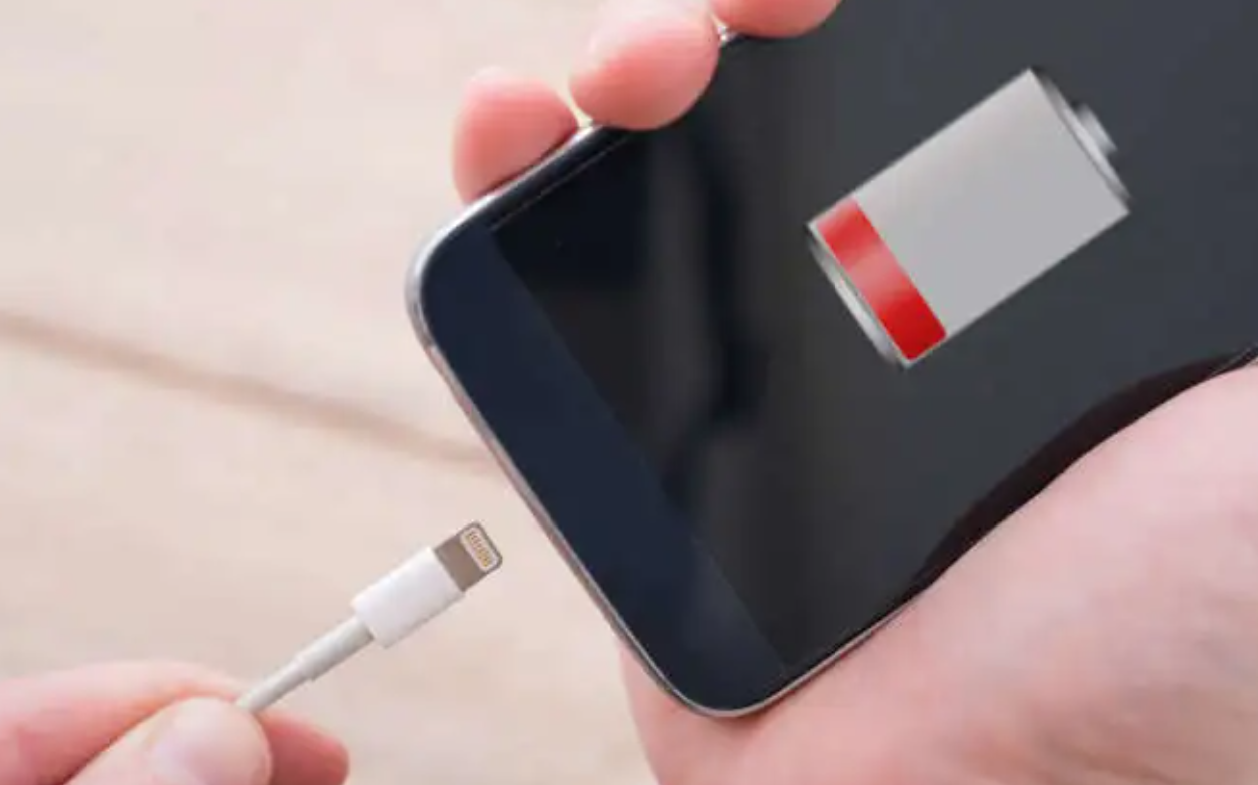
Recently, I encountered a frustrating issue with my smartphone: it would not charge properly. At first, I noticed that sometimes the charging process would stop abruptly, and at other times, the phone charged very slowly despite being plugged in for hours. As someone who relies heavily on my phone for both work and personal matters, this problem immediately became a significant concern. I needed to find a solution quickly because a non-functioning phone affects not only communication but also productivity. Initially, I assumed it might be a temporary glitch, but as the problem persisted, I realized that a deeper investigation was necessary.

To address the issue, I decided to conduct a thorough exploration based on what I could observe and what resources I had available. My first step was to check the most obvious component: the charging cable. I noticed that while the cable appeared physically intact, the problem remained even after swapping it with another one. This made me think about the possibility of internal damage within the cable, as even subtle fraying or internal wire breaks can interfere with proper charging. I also tried using an original cable supplied by the manufacturer and avoided cheap or uncertified alternatives, which some sources recommend, but the charging issue persisted intermittently.

Next, I considered the charging port. Dust or lint accumulation inside the port can prevent a proper connection, so I carefully examined it under good lighting. Using a soft brush and a toothpick, I gently removed any debris, making sure not to use metal objects that could potentially damage the port. While this cleaning slightly improved the situation at first, the problem was not completely resolved, suggesting that the port might not be the only culprit.

I then looked into the power source. Often, charging through a laptop USB port or an older adapter does not supply sufficient power, leading to slow or interrupted charging. I tested a few different wall chargers with higher wattage output and plugged them directly into a reliable wall socket. This adjustment improved the charging speed marginally, but the inconsistency continued, which prompted me to consider other underlying issues beyond the cable and power source.

After these hardware checks, I explored possible software-related causes.

I restarted my phone and updated it to the latest operating system version. I also monitored background apps that could be draining battery excessively while charging. In many cases, software glitches can interfere with normal charging, and these steps are usually recommended to address such issues. Unfortunately, the charging problem still occurred, which suggested that the root cause might be related to the hardware or the battery itself rather than the software.

Concerned about potential overheating issues, I observed the phone while it was charging. I removed its protective case and ensured it was in a cool, ventilated environment, avoiding the use of heavy apps during charging. Overheating can trigger a protective mechanism that stops charging temporarily, so these steps were essential to rule out thermal issues. Nevertheless, although the phone remained cooler, the intermittent charging continued, pointing again to a deeper problem.

Given the continued issues, I turned my attention to battery health. Modern smartphones allow users to check battery condition in the settings menu.

Upon checking, I discovered that the battery had significantly degraded over time, reducing its ability to hold and receive charge efficiently.

Degraded batteries are a common reason for slow or interrupted charging, especially in phones that are several years old.

At this point, I decided to consult multiple professional sources to compare opinions and recommended solutions. I visited two authorized service centers and one independent repair shop. Each place conducted diagnostic tests, but the conclusions varied. One service center recommended replacing the battery entirely, citing its poor health and age. The second center suggested first attempting a full system reset, arguing that software glitches could exacerbate the problem. The independent repair shop emphasized that both the battery and the charging port should be examined in combination, as subtle port damage can mimic battery problems.

The differences in these recommendations initially confused me. Why did each place offer a slightly different approach? Upon reflection and some additional research, I understood that diagnostic methods and professional judgment can vary based on the tools available, the technician’s experience, and the emphasis placed on certain factors such as software versus hardware issues. For example, a center that focuses on hardware may prioritize battery replacement, while another emphasizing software diagnostics may first recommend system resets. Each approach has its merits, but they highlight how complex a seemingly simple issue like charging can be.

To make an informed decision, I spent additional time studying the topic myself. I reviewed technical guides, reputable blogs, and forums where users discussed similar charging issues. I learned about common causes such as faulty cables, debris in the port, weak power sources, software glitches, overheating, and battery degradation. I also studied practical solutions: switching to high-quality cables, cleaning the port carefully, using reliable chargers, checking battery health, and considering professional repair if physical damage existed. The more I learned, the more I realized that while multiple factors could contribute, the most persistent and common culprit for my situation was the aging battery.

After considering all the information, I made my final decision.

I opted to replace the battery at an authorized service center. I chose this route because the battery health check clearly indicated significant wear, and other potential issues like cable, port, and power source had already been tested and partially addressed. While software glitches and overheating could contribute, these factors were secondary in my case. Replacing the battery directly addressed the root cause and provided the most reliable long-term solution. Additionally, doing it through an authorized center ensured quality replacement parts and maintained warranty coverage.

In conclusion, experiencing a phone that would not charge properly was a stressful and inconvenient situation. However, by systematically examining each possible factor—cable, charging port, power source, software, overheating, and battery health—I was able to narrow down the issue. Consulting multiple repair professionals highlighted different diagnostic approaches and reinforced the importance of understanding why recommendations might differ. By studying the problem thoroughly and comparing various sources, I gained a clear understanding of the issue and felt confident in my final choice: replacing the degraded battery. After the replacement, my phone returned to normal charging behavior, providing fast, consistent charging and restoring my peace of mind. This experience also gave me practical knowledge about maintaining my phone’s battery health in the future, including avoiding cheap cables, keeping the port clean, and managing charging habits to extend battery longevity.

How I Made My Smartphone Last Years Longer (Without Obsessing About It)

Smartphones are no longer simple communication devices. For most of us, they have become our camera, wallet, work tool, entertainment center, navigation system, and even a small personal computer that we carry every day. Because of that, replacing a phone is not just about buying a new device. It is also about setting up everything again, moving data, adjusting settings, and spending a significant amount of money. I used to think that a smartphone should naturally last only a few years, but after looking deeper into how phones actually age, I realized that many devices become worse not because they are old, but because of the way we use them.

I started paying attention to smartphone lifespan after noticing that my own phone battery was dropping faster than expected, the device was getting warmer during charging, and performance sometimes felt slower than it should have been. At first, I thought this was just normal aging. However, when I compared advice from different places and studied what actually damages smartphones, I found that many of the most common habits people believe are harmless can slowly shorten a phone’s life. That is when I decided to organize the issue properly and look at it from multiple angles, not just from one source

My first concern came from a very ordinary situation. I noticed that my phone no longer held charge as comfortably as before. Even when I tried to be careful, the battery percentage seemed to drop faster, especially on days when I used data heavily, watched videos, or charged the phone while using it. I also realized that I had a habit of leaving the phone plugged in overnight without thinking much about it. Like many people, I assumed that modern smartphones were designed to handle everything automatically, so I did not pay much attention to battery health.

Then I began to worry about the overall device lifespan, not just the battery. The phone sometimes felt warm after long gaming sessions or during video streaming, and storage was often close to full because I kept photos, apps, screenshots, and downloaded files without cleaning them up regularly. I also admitted to being the type of person who rarely restarted the phone unless there was a serious problem. At that point, I wanted to understand whether these habits were actually damaging the phone or whether I was overthinking normal daily use.

Once I started reading more carefully, I realized that smartphone longevity is not about one single mistake. It is about repeated small habits. A phone rarely fails overnight. It usually wears down little by little through heat, charging stress, software neglect, storage pressure, and physical damage. That made me want to look at the issue more seriously and compare different recommendations before deciding what habits were truly worth changing.

To understand the topic properly, I compared advice from several different sources. What I found was interesting: most places agreed on the major points, but the wording and emphasis were not exactly the same. Some sources focused mostly on battery care, while others talked more about performance, software updates, or overall device protection. This made me realize that smartphone lifespan is a broader topic than just “how to charge your phone.”

For example, many guides strongly warned against letting the battery hit 0% frequently. They explained that modern lithium-ion batteries do not like deep discharge cycles and that repeated full drains can increase wear over time. Other sources, however, pointed out that occasionally letting the battery go low is not disastrous by itself, and that the real problem is doing it regularly as a daily habit. This difference mattered to me because it showed that advice should be practical, not extreme. A phone does not need perfect treatment every minute, but it does benefit from avoiding repeated stress.

The same was true for charging to 100%. Some people say you should never fully charge your phone, while others explain that modern devices are built to handle full charging safely, especially if the manufacturer includes optimized charging features. What really stood out to me was that the concern is not “100% is always bad,” but rather that staying at high battery levels for long periods, especially with heat, can increase battery wear. That was a more balanced explanation and felt much more believable than absolute advice.

I also compared opinions about cheap chargers. Some articles simply said “use original chargers,” while others explained the issue in more detail, saying that uncertified chargers may create unstable voltage, poor heat control, or safety risks. That was one of the clearest areas where different sources matched closely. In every case, the message was consistent: saving a little money on a charger can cost much more later if it harms the phone battery or charging circuit.

There were similar patterns with heat, software updates, and storage. Some places treated these as minor issues, while others treated them as major causes of long-term decline. After comparing them, I concluded that heat is probably one of the most serious enemies of smartphone health, because it affects both battery chemistry and internal components. Software updates matter because they improve security and sometimes battery efficiency. Storage also matters because a nearly full phone tends to slow down, freeze, and behave less smoothly, even if the hardware itself is not physically broken.

At first, I was confused by the fact that the advice did not always sound identical. But after comparing the explanations, I understood why. The differences came from the fact that each source was looking at the problem from a slightly different angle.

Some advice was written for general users and aimed to be simple and memorable. Those sources often used clear rules like “keep your battery between 20% and 80%” or “restart your phone once a week.” These rules are easy to remember, which makes them useful for everyday readers. However, they can sometimes sound stricter than the real technical situation. In reality, those are guidelines, not laws.

Other advice came from more technical or product-focused explanations. Those sources often used softer language and talked about trends rather than fixed limits. For example, instead of saying “never charge to 100%,” they might say that frequent full charging can increase battery wear, especially if the phone stays hot. This version felt more precise to me, because it explained the mechanism behind the problem rather than giving a short warning without context.

Another reason the advice differed is that not all phones are designed exactly the same. Some manufacturers include battery optimization features, charging limits, or thermal management systems that reduce damage automatically. In those cases, the phone may handle certain habits better than older devices could. So a rule that was once necessary may now be less severe, even though the basic principle still matters. That helped me understand why older advice and newer advice sometimes sound different.

I also noticed that some sources were written with a repair mindset, while others were written with a lifespan mindset. Repair-focused advice often highlights damage that already happened, such as battery swelling, port wear, or overheating problems. Lifespan-focused advice tries to prevent those issues before they start. That difference in purpose explains why some recommendations are more urgent than others. Once I understood this, the conflicting advice no longer felt contradictory. Instead, it felt like different experts were simply emphasizing different stages of the same problem.

After comparing the information, I studied the topic in a more organized way. I focused on the seven habits that most often shorten smartphone life and tried to understand the logic behind each one.

The first lesson was about battery depth. Frequently draining a battery to 0% is not ideal because lithium-ion batteries wear faster under repeated stress. I learned that keeping the charge in a moderate range is generally healthier, although occasional low battery use is not a disaster. The goal is not perfection, but avoiding unnecessary strain.

The second lesson was about full charging. I learned that charging to 100% is not automatically harmful, but staying at a full charge all the time can increase battery stress. That is why many phones now offer optimized charging or battery protection settings. These features are helpful because they reduce the amount of time the battery spends under the highest stress condition.

The third lesson was about chargers and cables. This seemed simple at first, but it turned out to be one of the most important points. A cheap or fake charger may not manage power safely, and repeated use can lead to heat, unstable charging, or long-term battery damage. This made me realize that accessories are part of the phone’s health, not separate from it.

The fourth lesson was heat. Heat is not just uncomfortable for the user; it is damaging for the device. I learned that heavy gaming, direct sunlight, charging while using demanding apps, and leaving the phone in a hot car or hot room can all make the phone age faster. This was probably the most convincing point for me, because it matched real-life behavior. Phones often get hot exactly when people are pushing them hardest.

The fifth lesson was software updates. I used to see updates mainly as a nuisance, because they interrupt work and take time. But now I understand that updates can fix bugs, improve efficiency, and strengthen security. If a phone is not updated for a long time, it may not just be less secure; it can also run less smoothly.

The sixth lesson was storage management. I learned that a phone with nearly full storage often slows down because the system needs space to work properly. This explained why my phone sometimes became sluggish even when nothing seemed “broken.” Free space is not just for files; it also helps the operating system function normally.

The seventh lesson was restarting the phone regularly. I had underestimated this habit for a long time. Restarting clears temporary glitches, refreshes memory, and can solve small issues before they become annoying. It is a very simple habit, but it seems to have a surprisingly practical effect.

I also learned the importance of basic physical care. A case and screen protector may not directly affect battery health, but they reduce the risk of drops and cracks. Cleaning the charging port, avoiding moisture, and handling the device carefully all add up over time. In other words, a smartphone lasts longer when both the software side and the physical side are treated properly.

After studying everything, my final choice was not to follow one extreme rule, but to build a realistic daily routine that protects the phone without making my life inconvenient. That was the most important conclusion for me.

A smartphone should support daily life, not become a source of stress.

If the maintenance rules are too strict, people simply stop following them. I wanted a method that I could actually keep.

I chose to focus on the habits that give the biggest benefit with the least effort. That means avoiding unnecessary heat, using a reliable charger, not letting the battery reach empty too often, keeping some storage free, and restarting the phone regularly. These are small actions, but they work together. I did not want to obsess over every percentage point or every charging session. Instead, I wanted a balanced approach that is easy to maintain over months and years.

Another reason for my choice is that smartphone replacement is expensive, and the cost is not just the phone itself. There is also the time spent transferring data, setting up apps again, and adjusting to a new device. If a few simple habits can delay that process by one or two years, the effort is absolutely worth it.

The more I studied the subject, the clearer it became that long phone life is less about luck and more about discipline.

So my final decision was to treat smartphone care as part of daily maintenance, just like backing up files or keeping a car serviced. I do not need to become perfect, but I do need to be consistent. By paying attention to charging habits, heat, updates, storage, and basic restart routines, I can keep the device healthier for longer and get much better value from it.

In the end, what I learned was simple but important: a smartphone does not usually fail because of one big mistake.

It wears out because of repeated small ones. Once I understood that, the solution became much clearer. If I avoid those seven mistakes and keep a few practical habits, my phone can last much longer than I used to expect.

My Touchscreen Stopped Working—8 Things I Tried That Made a Difference

When my phone screen suddenly stopped responding, it felt like everything came to a halt. I rely heavily on my phone for work, communication, and even small daily tasks, so the moment I realized that touch inputs were not registering, I immediately felt both frustrated and anxious. At first, I thought it was just a temporary glitch, but when repeated taps and swipes didn’t work, I knew I had to take the situation seriously. I tried to unlock the phone several times, but nothing changed. That moment of helplessness pushed me to start researching possible causes and solutions right away.

As I began looking into the issue, I explored multiple sources—tech blogs, forums, YouTube videos, and even customer service centers. Interestingly, the advice I found varied quite a bit depending on where I looked. Some sources emphasized simple fixes like restarting the device or cleaning the screen, while others suggested more advanced troubleshooting such as booting into safe mode or performing a factory reset. I also checked official support pages for both Android and iPhone users, and they tended to recommend structured step-by-step diagnostics. Meanwhile, user communities often shared personal experiences, which sometimes contradicted official guidance but provided practical insights.

I even considered visiting a repair center, but before doing so, I compared different consultation opinions online. Some technicians claimed that unresponsive screens are usually caused by hardware damage, especially if the phone had been dropped. Others insisted that software bugs are the more common culprit, particularly after system updates. A few discussions highlighted how screen protectors or moisture could interfere with touch sensitivity—something I hadn’t initially considered. This wide range of opinions made it clear that there is no single universal cause, which explained why the recommended solutions differed so much.

The reason behind these differing conclusions became clearer as I continued researching.

Touchscreen issues can originate from multiple layers: hardware (like the digitizer), software (operating system bugs), or external factors (such as dirt, water, or accessories).

Each expert or source tends to focus on the area they are most familiar with. For example, repair technicians often see physically damaged devices, so they may lean toward hardware explanations. On the other hand, software-focused guides prioritize system glitches and bugs. Additionally, user experiences vary widely depending on how the issue started—whether from a drop, water exposure, or simply random malfunction—leading to different interpretations and advice.

Through this process, I also took time to study how smartphone touchscreens actually work. I learned that most modern devices use capacitive touchscreens, which detect electrical changes when your finger touches the screen. This means that anything interfering with conductivity—like water, oil, or even certain screen protectors—can disrupt performance. I also discovered that software plays a crucial role in interpreting touch signals, so bugs or outdated systems can cause delays or complete unresponsiveness.

Another important takeaway was that force restarting the device can often resolve temporary system freezes without affecting data, making it one of the safest first steps.

After gathering all this information, I decided to follow a structured approach rather than jumping straight to drastic measures. I started with the simplest fixes: cleaning the screen thoroughly and removing the screen protector. Surprisingly, this alone improved responsiveness slightly, which confirmed that external factors were contributing to the problem. Next, I performed a force restart, and this made a noticeable difference—the screen began responding normally again. To prevent future issues, I also updated the software to the latest version.

In the end, I chose not to proceed with a factory reset or visit a repair center because the issue was resolved through basic troubleshooting. My final decision was based on minimizing risk and effort while addressing the most likely causes first. This experience taught me the importance of understanding both hardware and software aspects before taking action. It also showed me that while professional help is valuable, many common smartphone issues can be resolved independently with the right knowledge and a calm, methodical approach.

Overall, what initially felt like a major problem turned into a valuable learning experience.

By comparing different perspectives, understanding the underlying causes, and carefully applying solutions, I was able to fix the issue efficiently.

If I encounter a similar problem in the future, I will feel much more confident handling it on my own.