Why My Bluetooth Suddenly Refused to Pair – And How I Fixed It

When I first encountered issues with my Bluetooth device not pairing, I did not immediately understand what was going wrong.

At the time, I was relying heavily on wireless devices such as earbuds and a Bluetooth speaker for daily use, including listening to music, watching videos, and even taking calls. One day, I tried to connect my earbuds to my smartphone as usual, but the pairing simply would not work. The device appeared briefly in the Bluetooth list and then disappeared, or sometimes it would not show up at all. In other cases, it seemed to connect but produced no sound. This inconsistency made the situation even more confusing and frustrating.

At first, I assumed it was a temporary glitch. I turned Bluetooth off and back on multiple times, restarted my phone, and even tried charging the earbuds fully. However, none of these initial attempts resolved the issue. What made it more frustrating was that the devices had worked perfectly before, which made me question whether the problem was with the device itself, the phone, or something else entirely. This experience pushed me to investigate further rather than simply giving up or replacing the device.

As I started looking for solutions, I explored multiple sources of information. I searched through online forums, watched troubleshooting videos, and read various tech blogs. Each source seemed to suggest slightly different causes and solutions. Some emphasized simple issues such as Bluetooth being turned off or devices not being in pairing mode. Others pointed to more complex causes like software bugs, compatibility issues, or interference from other wireless signals. I also compared advice from official manufacturer guides and general user communities. Interestingly, manufacturer guides tended to focus on standard steps like resetting the device and ensuring proper pairing mode, while user forums often highlighted real-world issues such as connection conflicts with previously paired devices or problems after software updates.

The differences between these sources initially made things more confusing.

However, I eventually realized that Bluetooth pairing issues do not have a single universal cause.

Instead, they can result from a variety of factors depending on the specific situation. For example, one source might emphasize distance because the user experienced pairing failure due to being too far from the device, while another might focus on cache issues because their problem was related to software glitches. In my case, the issue turned out to be a combination of factors rather than a single cause. This explained why the solutions I found did not always work immediately.

To better understand the problem, I decided to study the underlying concepts behind Bluetooth connectivity. I learned that Bluetooth devices require both hardware readiness and proper software communication. For instance, both devices must have Bluetooth enabled, and one must be in pairing mode to be discoverable. I also discovered that many Bluetooth devices automatically connect to the last paired device, which can block new connections. This was something I had overlooked initially. Additionally, I learned about limitations such as the maximum number of stored paired devices and how clearing old connections can free up space for new ones.

Another important concept I explored was interference. Bluetooth operates on the 2.4 GHz frequency band, which is shared by many other devices such as Wi-Fi routers and wireless peripherals. This means that in environments with many active wireless signals, pairing can become unstable or fail altogether. This insight helped me understand why my connection issues were more frequent in certain areas of my home.

Software-related issues were also a key part of what I learned. Temporary glitches, outdated operating systems, or corrupted Bluetooth cache can all interfere with proper pairing. I found that simply restarting devices or updating software can often resolve these hidden issues. In particular, clearing the Bluetooth cache on my smartphone turned out to be more effective than I initially expected.

After gathering and comparing all this information, I carefully applied the solutions step by step rather than trying everything randomly. First, I ensured that Bluetooth was properly enabled and that my earbuds were in pairing mode. Then, I checked whether the device was connected to another phone and disconnected it. I also deleted old Bluetooth connections from my phone to free up memory. Finally, I restarted both devices and updated my phone’s operating system.

The turning point came when I reset my earbuds and removed all previously paired devices. After doing this, the pairing process worked smoothly again. This confirmed that the issue had been caused mainly by connection conflicts and stored pairing data rather than a hardware failure.

In the end, I chose to rely on a combination of practical troubleshooting steps and a deeper understanding of how Bluetooth works.

Rather than depending on a single source, I compared multiple perspectives and identified the most relevant solutions for my situation. This approach not only solved my immediate problem but also gave me confidence in handling similar issues in the future.

Through this experience, I realized that Bluetooth pairing problems are often simple on the surface but can involve multiple underlying factors.

By approaching the issue systematically—understanding the problem, comparing different explanations, and applying targeted solutions—I was able to resolve the issue effectively without unnecessary frustration or expense.

No Sound Even Though Bluetooth Was Connected — The Simple Fix I Missed

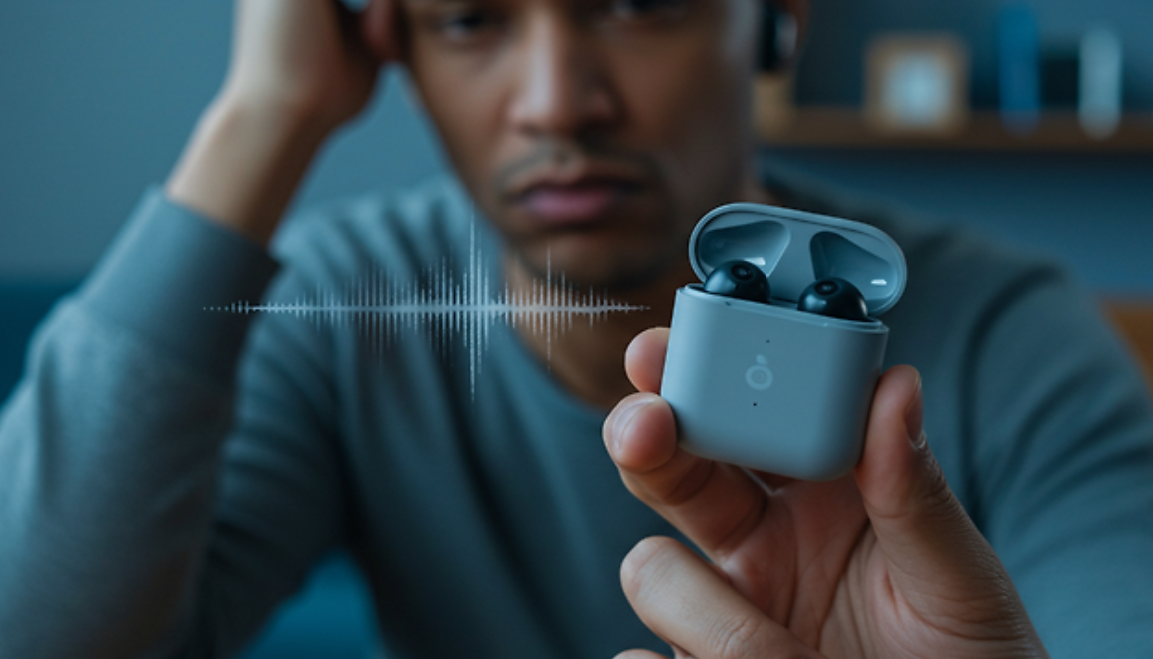
When I first encountered the issue of my Bluetooth device being connected but producing no sound, I did not immediately understand what was going wrong. Like many people, I rely heavily on wireless devices such as earbuds and speakers for daily activities, including listening to music, watching videos, and taking calls. One day, everything appeared normal—the Bluetooth icon showed that my earbuds were connected—but there was absolutely no audio. At first, I thought it was a temporary glitch, but the problem persisted even after reconnecting multiple times. This situation became increasingly frustrating because there was no clear indication of what the actual cause was.

As I tried to solve the issue, I started looking up different solutions online and even compared advice from multiple sources such as tech blogs, forums, and customer support pages. Interestingly, the solutions were quite varied. Some sources emphasized simple fixes like turning Bluetooth off and on again, while others suggested more technical steps such as resetting network settings or updating firmware. A few forums even mentioned that the issue could be hardware-related, which made me concerned that my device might be faulty. I also noticed that different platforms—such as Android-focused guides versus Windows or iOS guides—often prioritized different troubleshooting methods.

The reason these solutions varied so much became clearer as I continued researching.

I realized that the “connected but no sound” issue does not have a single universal cause.

Instead, it can result from several different factors depending on the device, operating system, and usage environment. For example, in some cases, the problem is simply due to the audio output being set to the wrong device. In other situations, it can be caused by temporary software glitches, conflicts with other connected Bluetooth devices, or even outdated system software. Because each user’s setup is slightly different, the recommended solutions can also differ, which explains why the advice I found was not always consistent.

At this point, I decided to take a more structured approach and study the problem in detail rather than trying random fixes. I learned that Bluetooth audio issues are often related to how devices manage connections and audio routing. For instance, even if a Bluetooth device is successfully paired, the system might still send audio to the phone’s internal speaker unless the output is manually changed. I also discovered that Bluetooth connections can sometimes become unstable or “stuck,” which is why simple actions like turning Bluetooth off and on or restarting devices can be surprisingly effective. Additionally, I found out that many Bluetooth devices have independent volume controls, meaning that even if the phone volume is high, the earbuds themselves could still be muted.

Through this process, I tested each solution step by step. First, I checked the audio output settings and confirmed whether my Bluetooth device was selected. Then, I restarted both my phone and the earbuds, which helped clear any temporary system errors. I also made sure to disconnect other nearby Bluetooth devices to avoid connection conflicts. One of the most effective steps was forgetting the device entirely and pairing it again, as this reset the connection data and eliminated any hidden issues. Finally, I checked for software updates to ensure that both my phone and the Bluetooth device were running the latest versions.

In the end, I was able to resolve the issue without needing to replace my device or seek professional repair. The problem turned out to be a combination of incorrect audio output settings and a minor connection glitch.

My final decision to follow a step-by-step troubleshooting process, rather than relying on a single solution, was crucial.

It allowed me to systematically eliminate possible causes and identify the exact reason behind the issue.

This experience taught me that even simple tech problems can have multiple underlying causes, and understanding the basics can make a big difference. Instead of feeling frustrated, I now see these situations as opportunities to learn more about how my devices work.

More importantly, I realized that most Bluetooth issues can be resolved quickly with the right approach, without needing advanced technical knowledge or expensive repairs.

My Bluetooth Kept Disconnecting — Here’s What Finally Fixed It

When I first started experiencing Bluetooth disconnection issues, I did not immediately understand what was causing the problem. Like many people, I rely heavily on wireless devices such as earbuds and a smartwatch throughout my daily routine. However, at some point, I began noticing a recurring issue: my Bluetooth connection would randomly disconnect even when I was not moving or doing anything unusual. Music would suddenly stop, calls would drop, and reconnecting sometimes took longer than expected. This became increasingly frustrating, especially because the issue seemed inconsistent and unpredictable.

As I tried to understand the situation, I began paying closer attention to when the disconnections occurred. At first, I assumed it was simply a temporary glitch or a problem with my earphones. However, the issue continued over several days, and I realized it was something more persistent. Sometimes the connection would remain stable for hours, while at other times it would disconnect repeatedly within minutes. This inconsistency made it difficult to pinpoint a clear cause.

In order to solve the problem, I decided to look into various sources and compare different explanations. I searched through online forums, tech blogs, and official support pages from device manufacturers. Interestingly, I found that different sources often suggested different primary causes. Some emphasized signal distance as the main issue, while others pointed to software bugs or interference from other wireless devices. A few sources even suggested that the problem could be related to hardware defects.

This variation in explanations initially caused some confusion. I wondered why there was no single clear answer. However, as I continued researching,

I began to understand that Bluetooth disconnection issues are rarely caused by just one factor.

Instead, they often result from a combination of conditions that vary depending on the user’s environment, device type, and usage habits.

For example, some users experience frequent disconnections because they move too far away from their device, while others face issues due to having too many connected devices at once. In my case, I realized that I was often surrounded by multiple wireless signals, including Wi-Fi networks and other Bluetooth devices, especially when I was at home or in public places. This likely contributed to signal interference.

As I continued to study the issue more deeply, I learned several important technical points about Bluetooth. First, Bluetooth operates on the 2.4 GHz frequency band, which is also used by many other wireless technologies. This means that interference is not only possible but quite common in environments with many active devices. Second, Bluetooth connections are highly dependent on both signal strength and device software stability. Even a small software glitch or outdated firmware can cause repeated disconnections.

Another important factor I discovered was the role of battery levels. Many Bluetooth devices are designed to disconnect automatically when their battery is low in order to conserve power. I realized that on several occasions, my earbuds were not fully charged, which likely contributed to the instability I experienced.

Additionally, I learned about Bluetooth cache and pairing data. Over time, devices store connection information, and if this data becomes corrupted, it can lead to repeated connection failures. This was something I had never considered before, but it turned out to be one of the most effective areas to address.

After gathering all this information, I decided to systematically apply the solutions I had learned. First, I ensured that all my devices were fully updated, including my smartphone’s operating system and the firmware of my Bluetooth accessories. Next, I removed all previously paired Bluetooth devices and reconnected only the ones I actively used. I also made a conscious effort to keep my devices within a closer range and reduce interference by turning off unnecessary wireless devices nearby.

One of the most impactful steps I took was resetting the Bluetooth connection entirely. I cleared the pairing history, restarted both devices, and paired them again from scratch. This alone significantly improved the stability of my connection.

I also adjusted my phone’s power-saving settings. Previously, I had battery saver mode enabled most of the time, which I later found could limit background Bluetooth activity. After disabling this feature for Bluetooth-related functions, I noticed fewer disconnections.

In the end, my final approach was not based on a single solution but rather a combination of several small adjustments.

I chose this method because my research made it clear that Bluetooth issues are multifaceted. Instead of relying on one fix, I focused on eliminating as many potential causes as possible.

The reason I selected this comprehensive approach is simple: it addresses both the technical and environmental factors that contribute to the problem. By updating software, managing connections, reducing interference, and optimizing settings, I was able to significantly improve my Bluetooth stability.

Looking back, the experience taught me that seemingly simple tech issues can have complex underlying causes. It also showed me the importance of comparing multiple sources of information rather than relying on a single explanation. Through careful observation, research, and testing, I was able to resolve the issue effectively.

Now, my Bluetooth connection remains stable in most situations, and I rarely experience unexpected disconnections. While occasional issues can still occur, they are far less frequent and much easier to troubleshoot.

For anyone facing similar problems, I would strongly recommend taking a structured approach: observe your usage patterns, compare different possible causes, and apply multiple solutions rather than expecting a single fix to work. This method not only solves the problem more effectively but also helps you better understand how your devices function.

“My Wi-Fi Was Slower Than Mobile Data — Here’s Why”

I recently found myself dealing with a frustrating situation involving my smartphone’s internet performance, which led me to seriously compare Wi-Fi and mobile data in a much deeper way than before.

At first, the issue seemed simple. While using my phone at home, I noticed that everything felt unusually slow. Videos buffered constantly, web pages took longer to load, and even basic apps like social media lagged more than expected. What confused me most was that other devices in the same environment—such as my laptop and tablet—were working perfectly fine on the same Wi-Fi network.

This made me question whether the problem was with my phone, the Wi-Fi itself, or something else entirely.

That moment became the starting point of my research into Wi-Fi versus mobile data.

To better understand the situation, I began comparing different opinions and solutions from various sources. I looked through online tech forums, read blog posts, and even checked advice from mobile carriers and customer support pages. Some sources strongly recommended optimizing Wi-Fi settings—suggesting router repositioning, frequency switching between 2.4GHz and 5GHz, and limiting connected devices. On the other hand, several mobile carrier resources emphasized the growing strength of 5G networks, claiming that mobile data could now outperform traditional Wi-Fi in many real-world scenarios. A few experts also highlighted that perceived speed issues are often not about raw speed, but about stability and latency.

As I compared these perspectives, I realized there was no single “correct” answer—only context-dependent conclusions.

What intrigued me most was why these recommendations differed so much. After digging deeper, I discovered that the differences came down to several key factors: infrastructure, environment, and usage patterns. Wi-Fi performance heavily depends on the quality of the router, its placement, interference from walls or other electronic devices, and how many users are connected at the same time. In contrast, mobile data performance is influenced by network coverage, signal strength, and congestion in specific areas. For example, in a densely populated area, even a strong 5G connection can slow down due to network traffic. Similarly, a high-speed home internet plan can still feel slow if the router is outdated or poorly positioned. This explained why some people strongly preferred Wi-Fi while others relied more on mobile data—their environments were simply different.

At this point, I decided to study the topic more systematically rather than relying only on scattered advice. I learned that Wi-Fi typically offers higher data throughput, making it ideal for heavy tasks such as streaming high-definition videos, downloading large files, or updating applications. However, its stability can fluctuate depending on physical obstacles and signal interference. I also discovered that modern Wi-Fi technologies like Wi-Fi 6 significantly improve speed and efficiency, but only if both the router and the device support it.

On the other hand, mobile data—especially 5G—has made remarkable progress in recent years. It offers lower latency and faster speeds in optimal conditions, sometimes even surpassing home Wi-Fi. More importantly, mobile data connections are inherently more secure because they are encrypted by cellular networks. This makes them a safer choice when dealing with sensitive activities such as online banking or personal transactions, particularly in public spaces. I also learned that public Wi-Fi networks are one of the biggest security risks, as they can expose users to data interception if proper precautions are not taken.

After going through this entire process of experiencing the issue, comparing different viewpoints, understanding the reasons behind conflicting advice, and studying the technical aspects, I reached my own conclusion.

My final choice was not to rely exclusively on either Wi-Fi or mobile data, but to use them strategically based on the situation.

At home, I chose to optimize my Wi-Fi setup by adjusting the router position, reducing interference, and ensuring fewer unnecessary connections. This significantly improved my speed and stability. For activities that require large amounts of data—such as streaming or downloading—I now consistently use Wi-Fi.

However, when I am outside or in environments where Wi-Fi networks are unreliable or potentially unsafe, I prefer using mobile data, especially 5G. I find it more stable in motion and more secure for tasks involving personal information. Even though it consumes my data plan, the reliability and security it provides are worth it in those situations.

In conclusion, this experience taught me that the question “Which is faster and safer—Wi-Fi or mobile data?” does not have a one-size-fits-all answer. Instead, the better approach is to understand the strengths and limitations of each option and apply them accordingly. By doing so, I was able to not only solve my original problem but also significantly improve my overall internet experience.

I Tried Everything to Fix My Wi-Fi — This Is What Actually Worked

When I first started experiencing Wi-Fi issues at home, it wasn’t something I immediately took seriously. At first, it felt like a temporary inconvenience—videos buffering slightly longer than usual, web pages loading just a bit slower. However, over time, the problem became more persistent and noticeable. What confused me the most was that the issue wasn’t consistent throughout my home. In some rooms, the connection was perfectly fine, while in others, especially the bedroom and kitchen, the signal would drop unexpectedly or become frustratingly slow. Even simple tasks like sending messages or opening apps that required internet access felt unreliable.

That was the moment I realized this wasn’t just a minor glitch, but a structural issue with my Wi-Fi setup that needed proper attention.

As I began to look into solutions, I quickly discovered that there were countless recommendations available online and from different sources. I compared advice from tech forums, customer support centers, internet service providers, and even electronics stores. Some suggested upgrading to a completely new router, while others insisted that a Wi-Fi extender would solve everything. A few recommended switching internet providers altogether, claiming that the issue was due to bandwidth limitations rather than signal strength. Interestingly, each source seemed confident in their own solution, but the suggested approaches varied widely in cost and complexity. This made the decision-making process more confusing than expected.

I started to question why there was such a difference in opinions. After digging deeper, I realized that the root cause of Wi-Fi problems can differ significantly depending on individual living environments. For example, someone living in a small apartment with thin walls might only need minor adjustments, while someone in a multi-story house with thick concrete walls could require a more advanced setup like a mesh network. Additionally, interference from nearby networks, household devices, and even furniture placement can drastically affect signal strength.

This explained why there wasn’t a one-size-fits-all solution and why different experts provided different recommendations based on their assumptions.

At this point, I decided to study the problem more systematically instead of blindly following a single suggestion. I focused on understanding how Wi-Fi signals actually work and what factors influence their performance. One of the most important things I learned was the significance of router placement. I discovered that placing the router in a corner or near walls limits the signal’s ability to spread evenly. This was exactly what I had been doing—my router was tucked away near a wall in the living room, partially hidden behind furniture.

I also learned that physical obstacles such as concrete walls, metal objects, and even large mirrors can weaken Wi-Fi signals. Another key factor was channel interference, especially in areas with many nearby networks. By accessing the router settings, I found that my Wi-Fi channel was overcrowded, which explained the unstable connection. Adjusting the channel to a less congested one immediately improved stability.

In addition, I explored hardware-related solutions. I looked into upgrading antennas and considered purchasing a Wi-Fi extender or even a mesh system. Through my research, I realized that while extenders can be helpful, they sometimes create separate networks and may not provide seamless connectivity. On the other hand, mesh systems offer a more integrated solution but come at a higher cost. I also learned the importance of keeping the router firmware updated and minimizing interference from other electronic devices like microwaves and Bluetooth equipment.

After carefully evaluating all the options and testing some of the simpler solutions, I made my final decision based on both effectiveness and cost-efficiency. Instead of immediately investing in expensive equipment, I started by optimizing what I already had. I repositioned my router to a more central and elevated location, away from obstacles and interference sources. I adjusted the antenna direction and changed the Wi-Fi channel to a less crowded one. These changes alone made a significant difference in signal strength across multiple rooms.

However, there were still a few weak spots in my home, particularly in areas farther from the router. At that point, I decided to invest in a mesh Wi-Fi system rather than a basic extender. The reason for this choice was its ability to provide seamless coverage without requiring manual switching between networks. Although it required a higher initial cost, the long-term stability and convenience made it a worthwhile investment.

In conclusion, what started as a frustrating everyday inconvenience turned into a valuable learning experience. By understanding the underlying causes of Wi-Fi issues and comparing different solutions, I was able to make an informed decision rather than relying on guesswork. The key takeaway from my experience is that improving Wi-Fi performance doesn’t always require expensive upgrades. In many cases, simple adjustments and a clear understanding of the problem can lead to significant improvements.

Ultimately, combining basic optimization with the right technology allowed me to achieve a stable and strong Wi-Fi connection in every room of my home.