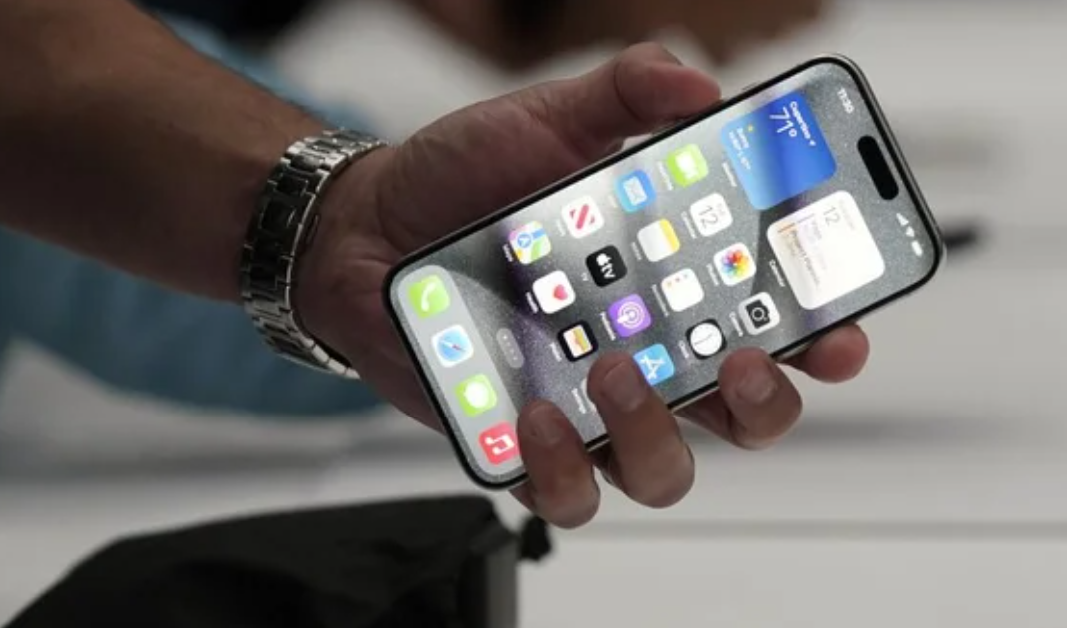
How I Made My Smartphone Last Years Longer (Without Obsessing About It)

Smartphones are no longer simple communication devices. For most of us, they have become our camera, wallet, work tool, entertainment center, navigation system, and even a small personal computer that we carry every day. Because of that, replacing a phone is not just about buying a new device. It is also about setting up everything again, moving data, adjusting settings, and spending a significant amount of money. I used to think that a smartphone should naturally last only a few years, but after looking deeper into how phones actually age, I realized that many devices become worse not because they are old, but because of the way we use them.

I started paying attention to smartphone lifespan after noticing that my own phone battery was dropping faster than expected, the device was getting warmer during charging, and performance sometimes felt slower than it should have been. At first, I thought this was just normal aging. However, when I compared advice from different places and studied what actually damages smartphones, I found that many of the most common habits people believe are harmless can slowly shorten a phone’s life. That is when I decided to organize the issue properly and look at it from multiple angles, not just from one source

My first concern came from a very ordinary situation. I noticed that my phone no longer held charge as comfortably as before. Even when I tried to be careful, the battery percentage seemed to drop faster, especially on days when I used data heavily, watched videos, or charged the phone while using it. I also realized that I had a habit of leaving the phone plugged in overnight without thinking much about it. Like many people, I assumed that modern smartphones were designed to handle everything automatically, so I did not pay much attention to battery health.

Then I began to worry about the overall device lifespan, not just the battery. The phone sometimes felt warm after long gaming sessions or during video streaming, and storage was often close to full because I kept photos, apps, screenshots, and downloaded files without cleaning them up regularly. I also admitted to being the type of person who rarely restarted the phone unless there was a serious problem. At that point, I wanted to understand whether these habits were actually damaging the phone or whether I was overthinking normal daily use.

Once I started reading more carefully, I realized that smartphone longevity is not about one single mistake. It is about repeated small habits. A phone rarely fails overnight. It usually wears down little by little through heat, charging stress, software neglect, storage pressure, and physical damage. That made me want to look at the issue more seriously and compare different recommendations before deciding what habits were truly worth changing.

To understand the topic properly, I compared advice from several different sources. What I found was interesting: most places agreed on the major points, but the wording and emphasis were not exactly the same. Some sources focused mostly on battery care, while others talked more about performance, software updates, or overall device protection. This made me realize that smartphone lifespan is a broader topic than just “how to charge your phone.”

For example, many guides strongly warned against letting the battery hit 0% frequently. They explained that modern lithium-ion batteries do not like deep discharge cycles and that repeated full drains can increase wear over time. Other sources, however, pointed out that occasionally letting the battery go low is not disastrous by itself, and that the real problem is doing it regularly as a daily habit. This difference mattered to me because it showed that advice should be practical, not extreme. A phone does not need perfect treatment every minute, but it does benefit from avoiding repeated stress.

The same was true for charging to 100%. Some people say you should never fully charge your phone, while others explain that modern devices are built to handle full charging safely, especially if the manufacturer includes optimized charging features. What really stood out to me was that the concern is not “100% is always bad,” but rather that staying at high battery levels for long periods, especially with heat, can increase battery wear. That was a more balanced explanation and felt much more believable than absolute advice.

I also compared opinions about cheap chargers. Some articles simply said “use original chargers,” while others explained the issue in more detail, saying that uncertified chargers may create unstable voltage, poor heat control, or safety risks. That was one of the clearest areas where different sources matched closely. In every case, the message was consistent: saving a little money on a charger can cost much more later if it harms the phone battery or charging circuit.

There were similar patterns with heat, software updates, and storage. Some places treated these as minor issues, while others treated them as major causes of long-term decline. After comparing them, I concluded that heat is probably one of the most serious enemies of smartphone health, because it affects both battery chemistry and internal components. Software updates matter because they improve security and sometimes battery efficiency. Storage also matters because a nearly full phone tends to slow down, freeze, and behave less smoothly, even if the hardware itself is not physically broken.

At first, I was confused by the fact that the advice did not always sound identical. But after comparing the explanations, I understood why. The differences came from the fact that each source was looking at the problem from a slightly different angle.

Some advice was written for general users and aimed to be simple and memorable. Those sources often used clear rules like “keep your battery between 20% and 80%” or “restart your phone once a week.” These rules are easy to remember, which makes them useful for everyday readers. However, they can sometimes sound stricter than the real technical situation. In reality, those are guidelines, not laws.

Other advice came from more technical or product-focused explanations. Those sources often used softer language and talked about trends rather than fixed limits. For example, instead of saying “never charge to 100%,” they might say that frequent full charging can increase battery wear, especially if the phone stays hot. This version felt more precise to me, because it explained the mechanism behind the problem rather than giving a short warning without context.

Another reason the advice differed is that not all phones are designed exactly the same. Some manufacturers include battery optimization features, charging limits, or thermal management systems that reduce damage automatically. In those cases, the phone may handle certain habits better than older devices could. So a rule that was once necessary may now be less severe, even though the basic principle still matters. That helped me understand why older advice and newer advice sometimes sound different.

I also noticed that some sources were written with a repair mindset, while others were written with a lifespan mindset. Repair-focused advice often highlights damage that already happened, such as battery swelling, port wear, or overheating problems. Lifespan-focused advice tries to prevent those issues before they start. That difference in purpose explains why some recommendations are more urgent than others. Once I understood this, the conflicting advice no longer felt contradictory. Instead, it felt like different experts were simply emphasizing different stages of the same problem.

After comparing the information, I studied the topic in a more organized way. I focused on the seven habits that most often shorten smartphone life and tried to understand the logic behind each one.

The first lesson was about battery depth. Frequently draining a battery to 0% is not ideal because lithium-ion batteries wear faster under repeated stress. I learned that keeping the charge in a moderate range is generally healthier, although occasional low battery use is not a disaster. The goal is not perfection, but avoiding unnecessary strain.

The second lesson was about full charging. I learned that charging to 100% is not automatically harmful, but staying at a full charge all the time can increase battery stress. That is why many phones now offer optimized charging or battery protection settings. These features are helpful because they reduce the amount of time the battery spends under the highest stress condition.

The third lesson was about chargers and cables. This seemed simple at first, but it turned out to be one of the most important points. A cheap or fake charger may not manage power safely, and repeated use can lead to heat, unstable charging, or long-term battery damage. This made me realize that accessories are part of the phone’s health, not separate from it.

The fourth lesson was heat. Heat is not just uncomfortable for the user; it is damaging for the device. I learned that heavy gaming, direct sunlight, charging while using demanding apps, and leaving the phone in a hot car or hot room can all make the phone age faster. This was probably the most convincing point for me, because it matched real-life behavior. Phones often get hot exactly when people are pushing them hardest.

The fifth lesson was software updates. I used to see updates mainly as a nuisance, because they interrupt work and take time. But now I understand that updates can fix bugs, improve efficiency, and strengthen security. If a phone is not updated for a long time, it may not just be less secure; it can also run less smoothly.

The sixth lesson was storage management. I learned that a phone with nearly full storage often slows down because the system needs space to work properly. This explained why my phone sometimes became sluggish even when nothing seemed “broken.” Free space is not just for files; it also helps the operating system function normally.

The seventh lesson was restarting the phone regularly. I had underestimated this habit for a long time. Restarting clears temporary glitches, refreshes memory, and can solve small issues before they become annoying. It is a very simple habit, but it seems to have a surprisingly practical effect.

I also learned the importance of basic physical care. A case and screen protector may not directly affect battery health, but they reduce the risk of drops and cracks. Cleaning the charging port, avoiding moisture, and handling the device carefully all add up over time. In other words, a smartphone lasts longer when both the software side and the physical side are treated properly.

After studying everything, my final choice was not to follow one extreme rule, but to build a realistic daily routine that protects the phone without making my life inconvenient. That was the most important conclusion for me.

A smartphone should support daily life, not become a source of stress.

If the maintenance rules are too strict, people simply stop following them. I wanted a method that I could actually keep.

I chose to focus on the habits that give the biggest benefit with the least effort. That means avoiding unnecessary heat, using a reliable charger, not letting the battery reach empty too often, keeping some storage free, and restarting the phone regularly. These are small actions, but they work together. I did not want to obsess over every percentage point or every charging session. Instead, I wanted a balanced approach that is easy to maintain over months and years.

Another reason for my choice is that smartphone replacement is expensive, and the cost is not just the phone itself. There is also the time spent transferring data, setting up apps again, and adjusting to a new device. If a few simple habits can delay that process by one or two years, the effort is absolutely worth it.

The more I studied the subject, the clearer it became that long phone life is less about luck and more about discipline.

So my final decision was to treat smartphone care as part of daily maintenance, just like backing up files or keeping a car serviced. I do not need to become perfect, but I do need to be consistent. By paying attention to charging habits, heat, updates, storage, and basic restart routines, I can keep the device healthier for longer and get much better value from it.

In the end, what I learned was simple but important: a smartphone does not usually fail because of one big mistake.

It wears out because of repeated small ones. Once I understood that, the solution became much clearer. If I avoid those seven mistakes and keep a few practical habits, my phone can last much longer than I used to expect.
My Touchscreen Stopped Working—8 Things I Tried That Made a Difference

When my phone screen suddenly stopped responding, it felt like everything came to a halt. I rely heavily on my phone for work, communication, and even small daily tasks, so the moment I realized that touch inputs were not registering, I immediately felt both frustrated and anxious. At first, I thought it was just a temporary glitch, but when repeated taps and swipes didn’t work, I knew I had to take the situation seriously. I tried to unlock the phone several times, but nothing changed. That moment of helplessness pushed me to start researching possible causes and solutions right away.

As I began looking into the issue, I explored multiple sources—tech blogs, forums, YouTube videos, and even customer service centers. Interestingly, the advice I found varied quite a bit depending on where I looked. Some sources emphasized simple fixes like restarting the device or cleaning the screen, while others suggested more advanced troubleshooting such as booting into safe mode or performing a factory reset. I also checked official support pages for both Android and iPhone users, and they tended to recommend structured step-by-step diagnostics. Meanwhile, user communities often shared personal experiences, which sometimes contradicted official guidance but provided practical insights.

I even considered visiting a repair center, but before doing so, I compared different consultation opinions online. Some technicians claimed that unresponsive screens are usually caused by hardware damage, especially if the phone had been dropped. Others insisted that software bugs are the more common culprit, particularly after system updates. A few discussions highlighted how screen protectors or moisture could interfere with touch sensitivity—something I hadn’t initially considered. This wide range of opinions made it clear that there is no single universal cause, which explained why the recommended solutions differed so much.

The reason behind these differing conclusions became clearer as I continued researching.

Touchscreen issues can originate from multiple layers: hardware (like the digitizer), software (operating system bugs), or external factors (such as dirt, water, or accessories).

Each expert or source tends to focus on the area they are most familiar with. For example, repair technicians often see physically damaged devices, so they may lean toward hardware explanations. On the other hand, software-focused guides prioritize system glitches and bugs. Additionally, user experiences vary widely depending on how the issue started—whether from a drop, water exposure, or simply random malfunction—leading to different interpretations and advice.

Through this process, I also took time to study how smartphone touchscreens actually work. I learned that most modern devices use capacitive touchscreens, which detect electrical changes when your finger touches the screen. This means that anything interfering with conductivity—like water, oil, or even certain screen protectors—can disrupt performance. I also discovered that software plays a crucial role in interpreting touch signals, so bugs or outdated systems can cause delays or complete unresponsiveness.

Another important takeaway was that force restarting the device can often resolve temporary system freezes without affecting data, making it one of the safest first steps.

After gathering all this information, I decided to follow a structured approach rather than jumping straight to drastic measures. I started with the simplest fixes: cleaning the screen thoroughly and removing the screen protector. Surprisingly, this alone improved responsiveness slightly, which confirmed that external factors were contributing to the problem. Next, I performed a force restart, and this made a noticeable difference—the screen began responding normally again. To prevent future issues, I also updated the software to the latest version.

In the end, I chose not to proceed with a factory reset or visit a repair center because the issue was resolved through basic troubleshooting. My final decision was based on minimizing risk and effort while addressing the most likely causes first. This experience taught me the importance of understanding both hardware and software aspects before taking action. It also showed me that while professional help is valuable, many common smartphone issues can be resolved independently with the right knowledge and a calm, methodical approach.

Overall, what initially felt like a major problem turned into a valuable learning experience.

By comparing different perspectives, understanding the underlying causes, and carefully applying solutions, I was able to fix the issue efficiently.

If I encounter a similar problem in the future, I will feel much more confident handling it on my own.

From Frustration to Fast Internet: My Journey Fixing Mobile Speeds

When I first started looking into why my phone internet had suddenly become so slow, it wasn’t just a minor inconvenience—it was seriously disrupting my daily routine. Simple tasks like watching videos, browsing social media, or even loading basic web pages were taking far longer than they should. At first, I assumed it was just a temporary issue, but as the problem persisted, I realized I needed to investigate it more thoroughly.

The situation became especially frustrating when I noticed that the slow speed wasn’t consistent. Sometimes the internet would work perfectly fine, and other times it would become almost unusable. This inconsistency made it difficult to pinpoint the exact cause. I began by observing when and where the issue occurred most frequently. For example, I noticed that my connection was significantly worse indoors compared to when I stepped outside. I also experienced slower speeds during the evening, which made me suspect network congestion.

To better understand the issue, I decided to compare advice from multiple sources. I looked through online guides, forums, and even contacted customer support from my mobile carrier. Interestingly, the recommendations varied quite a bit depending on the source. Some emphasized simple fixes like restarting the phone or toggling Airplane Mode, while others suggested more technical solutions such as resetting network settings or checking for data throttling.

Customer support, on the other hand, focused more on factors related to my data plan and network coverage. They suggested that I might have exceeded my high-speed data limit, which could result in reduced speeds. Meanwhile, online communities often pointed out practical, real-world issues such as background apps consuming data or weak signal strength in certain locations.

At first, I found these differing opinions confusing. Why were the suggested solutions so inconsistent? However, as I continued researching, I realized that the reason behind this variation was quite logical.

Mobile internet speed is influenced by multiple factors, and each situation can have a different root cause.

For instance, someone experiencing slow speeds due to poor signal strength will require a completely different solution compared to someone affected by software issues or data throttling.

This realization led me to study the topic more deeply. I began learning about how mobile networks function, including the role of signal strength, network congestion, and data prioritization. I discovered that having only one or two signal bars can significantly impact internet speed, regardless of the data plan. I also learned that during peak hours, such as evenings, network towers can become overloaded with users, resulting in slower speeds for everyone in the area.

Another important factor I came across was background data usage.

Many apps continue to run and consume data even when they are not actively being used. This can silently slow down internet performance without the user realizing it. Additionally, outdated software can sometimes cause connectivity issues, which reinforced the importance of keeping the device updated.

After gathering all this information, I decided to systematically test the various solutions. I started with the simplest fixes, such as turning Airplane Mode on and off and restarting my phone. These steps provided temporary improvements but did not fully resolve the issue. Next, I checked my signal strength more carefully and made a habit of moving to areas with better reception when possible.

One of the most effective changes I made was managing background apps. By closing unused applications and restricting background data usage for heavy apps, I noticed a significant improvement in speed. I also experimented with switching between 4G and 5G networks. Surprisingly, in my area, 4G often provided a more stable connection than 5G due to inconsistent coverage.

I also reviewed my data plan and confirmed that I had not exceeded my high-speed data limit. This ruled out throttling as the main cause. As a final step, I reset my network settings, which helped eliminate any potential configuration issues that might have been affecting connectivity.

Ultimately, my final decision was not to rely on a single solution but to combine several practical fixes based on my specific situation.

I realized that there is no universal answer to slow mobile internet. Instead, the key is to identify the most likely causes and apply targeted solutions accordingly.

Through this process, I gained a much clearer understanding of how mobile internet works and why performance issues occur. More importantly, I learned that many of these problems can be resolved quickly with the right approach. By taking the time to analyze the situation, compare different perspectives, and apply what I learned, I was able to significantly improve my phone’s internet speed.

In conclusion, dealing with slow mobile internet can be frustrating, but it is often manageable with a bit of patience and investigation. Rather than immediately assuming the worst, it is helpful to start with simple troubleshooting steps and gradually explore more advanced solutions if needed. This experience not only solved my immediate problem but also gave me the confidence to handle similar issues more effectively in the future.

Battling Endless Bluetooth Pairing Requests: My Step-by-Step Fix

Recently, I started encountering a very frustrating issue with my device: Bluetooth pairing requests kept popping up repeatedly without any clear reason. At first, I thought it was just a temporary glitch, but the problem persisted throughout the day. Even when I was not actively using Bluetooth, a pairing notification would suddenly appear on my screen, interrupting whatever I was doing.

What made the situation more confusing was that the device name shown in the pairing request was sometimes unfamiliar. This raised a concern about whether someone nearby was trying to connect to my device without permission. Since I often use wireless earbuds and occasionally connect to speakers, I initially assumed it might be one of my previously paired devices trying to reconnect. However, the frequency of the pop-ups made it clear that something was not functioning properly.

At that point, I realized this was not just a minor inconvenience but potentially a security or system issue that needed to be addressed properly.


To solve the issue, I searched through multiple online guides, forums, and tech support articles. Interestingly, different sources suggested slightly different solutions.

Some emphasized simple fixes such as turning Bluetooth off and on again or restarting the device. Others focused on removing previously paired devices, claiming that outdated connections could trigger repeated pairing attempts. A few sources went deeper and recommended resetting network settings entirely, suggesting that corrupted Bluetooth cache data might be the root cause.

In addition, certain forums highlighted environmental factors. For example, users mentioned that in crowded places like apartments or public transportation, nearby devices might continuously attempt to connect, especially if the device is set to “discoverable” mode.

There were also security-focused recommendations, warning users not to accept unknown pairing requests and to disable visibility whenever possible.


At first, I was confused about why there were so many different explanations and solutions for what seemed like the same issue. However, after carefully comparing the information, I realized that the root cause of this problem can vary significantly depending on the situation.

For example, if the issue is caused by a previously paired device repeatedly trying to reconnect, then removing that device from the list would solve the problem. On the other hand, if the issue comes from corrupted system data, then simply restarting Bluetooth would not be enough, and a full reset of network settings would be necessary.

Similarly, if the cause is external—such as nearby devices attempting to connect—then adjusting visibility settings or changing location becomes more effective than internal fixes.

In other words, the reason different solutions exist is because this issue does not have a single universal cause.

Each method targets a specific scenario, and understanding the exact cause is key to solving it efficiently.


As I continued researching and testing different solutions, I gained a clearer understanding of how Bluetooth connections work.

First, I learned that Bluetooth devices often try to reconnect automatically once they have been paired. This feature is designed for convenience, but it can backfire if the connection repeatedly fails. In such cases, the system keeps attempting to complete the pairing process, which results in constant notifications.

Second, I discovered that Bluetooth cache data plays a significant role. Temporary data stored in the system can sometimes become corrupted, leading to unexpected behavior such as repeated pairing requests.

Third, I realized the importance of visibility settings. When a device is set to be discoverable, it essentially announces itself to nearby devices. This makes it easier for others to initiate pairing requests, which can lead to unwanted pop-ups.

Lastly, I became more aware of the security aspect. Accepting unknown pairing requests can potentially allow unauthorized devices to connect, which is something users should always avoid.


After trying several methods, I decided to take a step-by-step approach rather than relying on a single fix.

First, I removed all unused and unfamiliar devices from my Bluetooth list. This helped eliminate any automatic reconnection attempts from old devices.

Next, I restarted both my device and the Bluetooth function to clear temporary glitches. This alone reduced the frequency of the pop-ups significantly.

However, to ensure the issue would not return, I also disabled Bluetooth visibility so that nearby devices could no longer detect my device بسهولة. This step was particularly effective in preventing unknown pairing requests.

Finally, as a precaution, I reset my network settings. Although this required reconnecting to Wi-Fi and Bluetooth devices again, it completely cleared any corrupted data that might have been causing the issue.

I chose this combination of solutions because it addressed all possible causes—internal errors, stored data issues, and external connection attempts—rather than focusing on just one factor.


Through this experience, I realized that even a common issue like repeated Bluetooth pairing requests can have multiple underlying causes. Simply applying one quick fix may not always solve the problem completely.

By understanding how Bluetooth works and systematically testing different solutions, I was able to resolve the issue effectively.

More importantly, I learned how to prevent it from happening again by managing device connections and adjusting settings appropriately.

If you are facing a similar problem, I recommend identifying the most likely cause in your situation and applying the corresponding solution step by step. This approach will save time and lead to a more reliable result.

How I Finally Understood Why Bluetooth Disconnects

When I first started experiencing Bluetooth range problems, I did not immediately understand what was happening. Like many people, I rely heavily on wireless devices such as earbuds and speakers in my daily life. One day, I noticed that everything worked perfectly when I stayed close to my phone, but the moment I moved to another room or even just a few steps farther away, the connection would suddenly drop. At first, I assumed it was a temporary issue or a defect in my device. However, the problem kept repeating itself. Music would stop abruptly, videos would lose audio, and reconnecting sometimes took longer than expected. This made the overall experience frustrating, especially because I expected wireless devices to offer more flexibility and freedom.

As the issue persisted, I decided to look into it more seriously. I searched online, read forums, and even compared advice from different sources, including tech blogs, user communities, and customer support responses. Interestingly, the explanations were not always consistent. Some sources emphasized that the problem was mainly due to distance limitations, while others pointed to interference from Wi-Fi or other electronic devices. A few suggested that the issue might be related to low battery levels, and others claimed that older Bluetooth versions were the main cause. Customer service responses were also varied. Some recommended resetting the device, while others suggested updating firmware or even replacing the hardware entirely. This variety of answers made it difficult to determine what the actual root cause was.

I began to wonder why there were so many different explanations for what seemed like a simple issue. After comparing multiple sources,

I realized that Bluetooth disconnection is not caused by a single factor but rather a combination of several variables.

Each user’s environment is different, which means the cause of the problem can vary depending on the situation. For example, someone living in a small apartment with minimal interference might only experience issues when exceeding the typical range. On the other hand, someone in a crowded environment with many wireless signals might experience disconnections even at shorter distances. This explained why different sources provided different answers—they were each addressing specific scenarios rather than a universal rule.

To better understand the problem, I decided to study how Bluetooth actually works. I learned that Bluetooth technology is designed for short-range communication and typically operates within a limited distance depending on its class. Most everyday devices, such as smartphones and wireless earbuds, fall under Class 2, which has an effective range of about 10 meters. However, this range is not guaranteed in real-world conditions.

Physical obstacles such as walls, doors, and furniture can significantly weaken the signal.

Even the human body can interfere with Bluetooth transmission. Additionally, Bluetooth operates on the 2.4 GHz frequency band, which is shared by many other devices, including Wi-Fi routers, microwaves, and wireless peripherals. This means that signal interference is very common, especially in environments with many electronic devices.

Another important factor I discovered was battery level. When a Bluetooth device has a low battery, its signal strength can decrease, making it more prone to disconnections at longer distances. I also learned that the version of Bluetooth plays a significant role. Newer versions, such as Bluetooth 5.0 and above, offer improved range and stability compared to older versions like Bluetooth 4.0. However, both devices need to support the newer version to fully benefit from these improvements. Additionally, hardware limitations, such as the size of the antenna in small devices like earbuds, can restrict signal strength and range.

After gathering and analyzing all this information, I started testing different solutions myself. I tried staying within a closer range, reducing obstacles between my devices, and ensuring that my devices were fully charged. I also checked for software updates and made sure my devices were running the latest firmware. In some cases, simply changing my position or moving to a less crowded wireless environment made a noticeable difference.

Through this process, I realized that the issue I was experiencing was not due to a defect but rather a normal limitation of Bluetooth technology combined with environmental factors.

In the end, my final decision was not to replace my devices but to adjust how I use them. I chose to stay within a reasonable distance when using Bluetooth, avoid placing obstacles between connected devices, and keep my devices well charged. I also became more aware of potential interference sources and tried to minimize their impact when possible. Instead of expecting perfect performance at long distances, I accepted the inherent limitations of Bluetooth and adapted accordingly. This approach significantly reduced the frequency of disconnections and improved my overall experience.

Through this experience, I gained a much clearer understanding of how Bluetooth works and why range-related issues occur. What initially seemed like a frustrating and confusing problem turned out to be a combination of predictable technical limitations and environmental factors. By learning and adjusting, I was able to find a practical solution without unnecessary replacements or expenses.