
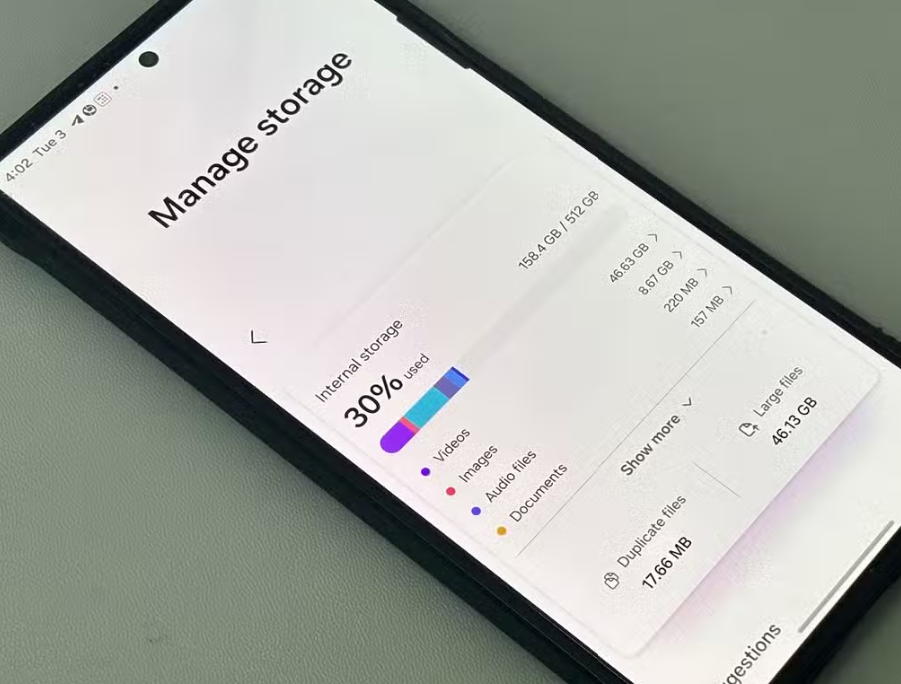
Smartphones today offer increasingly large storage capacities, yet I found myself repeatedly facing the frustrating “Storage Almost Full” message. This was particularly confusing because I did not consider myself a heavy user who frequently downloads large applications or files. Despite what I believed to be moderate usage, my device would constantly warn me about low storage, and this began to interfere with everyday tasks such as taking photos, installing updates, or even receiving messages.
This situation prompted me to seriously investigate the underlying causes of the issue.
Initially, I assumed that the problem might be due to hidden system errors or unnecessary files that I could not easily access. However, as the issue persisted, I realized that I needed to take a more structured approach. I began researching the reasons why smartphone storage fills up quickly and explored various solutions through multiple sources, including technology blogs, online forums, and user reviews.
During this process, I compared advice from different sources and noticed that each one emphasized different factors. Some sources strongly highlighted photos and videos as the primary cause of storage consumption, while others focused more on app data and cache accumulation. Additionally, certain users pointed out messaging apps as the main culprit, especially due to automatic downloads of media files in group chats. There were also recommendations that emphasized system-related issues, such as hidden files and operating system updates.
This variation in perspectives initially made it difficult for me to determine the most accurate cause of my storage problem. However, as I continued comparing different opinions,
I came to understand that these differences were largely due to variations in user behavior and usage patterns.
For instance, users who frequently take photos and videos naturally experience higher storage consumption from media files, while those who actively use messaging apps accumulate large amounts of shared media. Similarly, users who install many applications are more likely to encounter issues related to app data and cache.
With this realization, I decided to study each factor in more detail rather than relying on general assumptions. I learned that photos and videos, especially those captured in high resolution or 4K format, occupy a significant amount of storage space. Even short video recordings can quickly accumulate into several gigabytes over time. I also discovered that duplicate images, screenshots, and blurry photos often go unnoticed but contribute heavily to storage usage.
In addition to media files, I gained a deeper understanding of how apps and their associated data affect storage. Many applications store cache files to improve performance, but these files can grow excessively over time. Social media apps and browsers, in particular, tend to accumulate large amounts of temporary data. By clearing cache and removing unused applications, I was able to free up a noticeable amount of space.
Another important aspect I studied was the role of messaging applications. I realized that many messaging apps automatically download images, videos, and documents from conversations, especially in group chats. Over time, these files accumulate without being actively noticed. By disabling automatic downloads and periodically reviewing stored media within chat settings, I significantly reduced unnecessary storage usage.
Furthermore, I explored the impact of cached files and temporary system data. While these files are designed to improve performance, they can occupy valuable storage if not managed properly. I found that regularly clearing cached data and restarting the device helps maintain a balance between performance and storage efficiency.
I also came to understand the role of system updates and hidden files. Operating system updates require additional storage space, and remnants of previous updates may remain on the device. Although these files are necessary for proper functionality, they can gradually reduce available storage. Using built-in storage analysis tools allowed me to identify and manage these hidden contributors.
After thoroughly analyzing all these factors,
I realized that my storage issue was not caused by a single source but rather a combination of multiple everyday habits.
Therefore, instead of focusing on just one solution, I decided to adopt a comprehensive and balanced approach. I began regularly backing up my photos and videos to cloud storage and deleting unnecessary or duplicate files. I also made it a habit to clear app cache, uninstall unused applications, and manage media within messaging apps.
My final decision was based on practicality and long-term sustainability. I wanted a solution that could be easily maintained without requiring constant effort or technical complexity. By incorporating small but consistent habits into my routine, I was able to effectively manage my phone’s storage and prevent the issue from recurring.
In conclusion, the problem of rapidly filling storage is not unusual, even for users who believe they are using their devices moderately. Through personal experience, comparison of various sources, and in-depth study, I was able to identify the true causes of my storage issue. By applying a combination of practical strategies, I successfully regained control over my device’s storage and improved its overall performance.